

Blog
Keep Your Listings Honest: Inventory Feeds and Stale Stock
Gun Search Engine·
- for dealers
- inventory feeds
Online listings go stale when your gun store inventory feed is slower than the counter. GunSearchEngine reads the feed you already send to other gun search sites, or your own XML or JSON feed; products index in about five minutes, clicks go to your product page, and if you pull the feed, the listings come down the same day. So the work that matters is keeping that feed in step with what just sold at the register.
“GunSearchEngine shows what your feed says, so the feed has to keep up with the counter.”
What a gun store inventory feed is
A product feed is a file, or a URL that serves a file, listing what you sell. Each line is a product (what it is, what it costs, whether you have it, and the page where a shopper can buy it), and search sites read that file so they don't have to crawl your whole store.
GunSearchEngine reads five feed formats: the AmmoSeek, Gun.deals and GunMade formats, its own JSON format, and simple XML.
If you're on one of those three sites today, you probably already have a feed URL, and that's the one the dealer feed page asks for. If you don't, use GunSearchEngine's own JSON format or simple XML.
Keep one thing in mind for the rest of this post: the feed is a copy, a snapshot of what some system thinks your inventory is at some point in time, and not the inventory itself.
How GunSearchEngine uses the feed
The live dealer page lays out what happens:
- GunSearchEngine takes your feed URL and creates your account.
- Products index in about five minutes.
- Your SKUs show on GunSearchEngine.com.
- Your store gets its own seller page with live inventory.
- Shoppers click through to your site.
A few rules come with it: your feed price shows next to other participating dealers on the same product, and clicks carry utm_source=gunsearchengine, so you can see them in your own analytics. Pull the feed any time and listings come down the same day; you can pause whenever you want.
The page also says "Sync Your Inventory Now. Connect Your Site Later." That means you can list from the feed you have today, even if a bigger website project is still open.
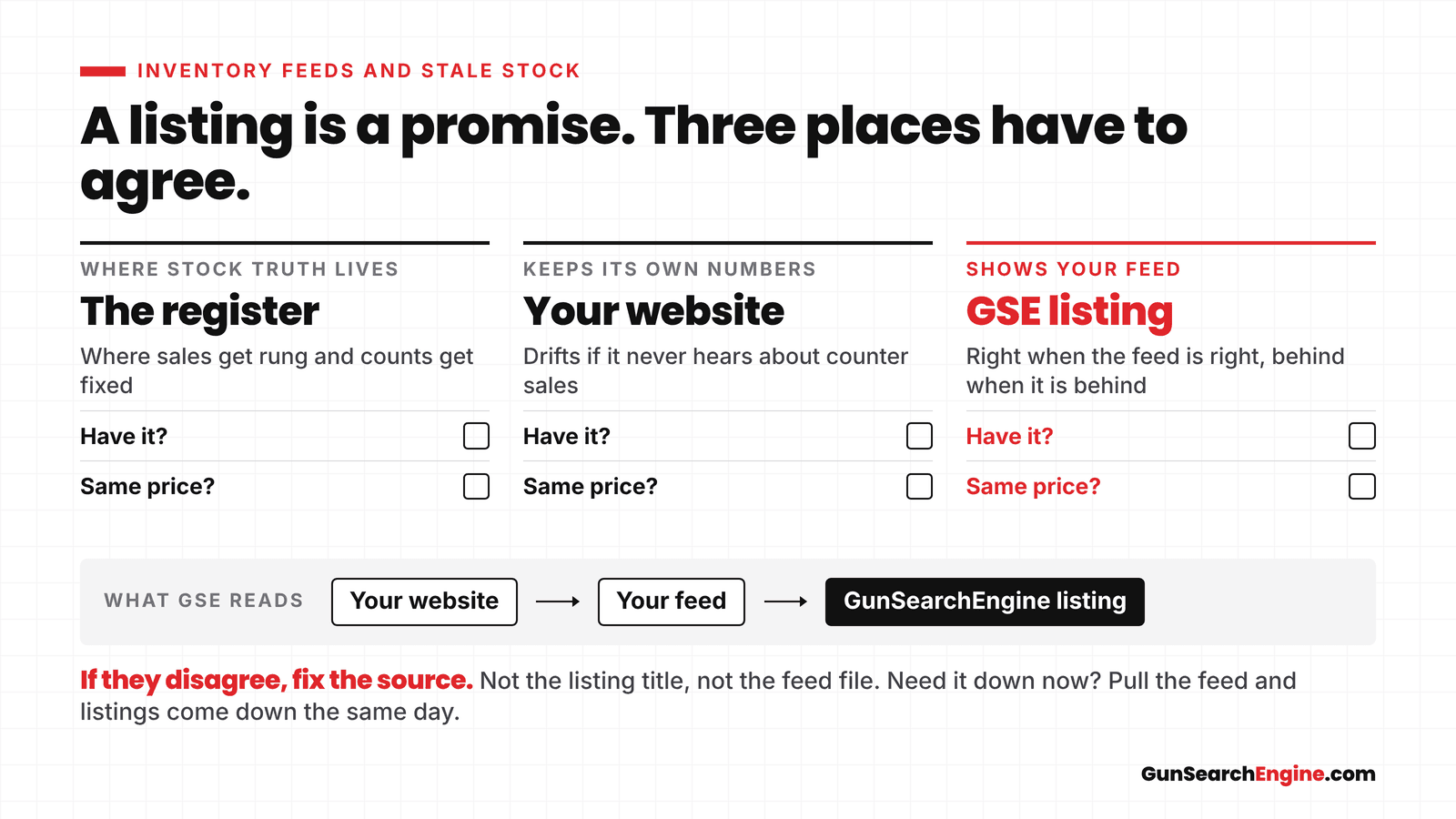
What GunSearchEngine shows is what your feed says, so when the feed is right the listing is right, and when the feed is behind the listing is behind with it.
Why listings go stale
The usual problem is a counter sale the published file never heard about, not a slow search site. These are the ways that happens in a real shop:
- The feed runs on a slow schedule. Your website builds its feed file once in a while. Between runs, anything you sell at the counter still shows as available.
- The website never hears about counter sales. The register knows the gun sold. The website doesn't. So the website's feed keeps listing it.
- Someone keeps a spreadsheet by hand. It was right on the day it was made. Nobody updated it after the busy weekend.
- Used guns and one-offs. A single used rifle is one unit. Sell it once and it's gone. If the feed doesn't drop it, that listing is wrong until somebody notices.
Now picture the shopper who saw your listing and drove in, only to find the gun gone. They don't blame the feed; they blame the shop.
“A counter sale the website never hears about stays listed until the feed catches up.”
Where inventory actually lives
In most gun shops, the truth about stock lives at the register, because that's where sales get rung, where receiving happens and where the counts get fixed after a recount.
Your website keeps its own stock numbers, and so does any spreadsheet. If the register and the website don't talk to each other, they drift apart a little every day, and since the feed comes from the website, the feed drifts too.
When the feed is built from a website that doesn't hear about a sale at the counter, the honest fix is usually connecting the POS you already run to your website. Keep the register you have and let the website hear from it, so the cleaner stock file flows into the feed GunSearchEngine reads.
Fix the source and everything downstream gets better at once: your own site, GunSearchEngine and every other search site you feed.
“The feed copies whatever stock number your website has.”
A simple honesty check
You can run this test this week, and it doesn't take long.
- Pick a handful of SKUs that move. Think of a popular handgun, a box of common ammo and one used gun.
- Check three places. Look at the count at the register, the product page on your website and the listing on GunSearchEngine.
- Compare. Do all three agree on whether you have it? Do they agree on the price?
- If they disagree, fix the source. Don't hand-edit a listing title or tweak the feed file. Find which system is wrong and fix it there.
- Sell something and watch. Ring up an item at the counter, then check how long the website and the listing take to drop it.
- If you need a listing down now, pull the feed. Listings come down the same day.
Run the check again after a busy Saturday, when drift is most likely to show up.
How often should the feed move?
As often as your stock does. A shop that sells a few guns a week can get by with a feed that updates less often, but a busy counter on a Saturday can't, because the more you sell in a day, the faster a slow feed falls behind.
Ask whoever runs your website two questions: how often is the feed file rebuilt, and does a counter sale change the website's stock, or only a web sale? Those two answers tell you how stale your listings can get.
What GunSearchEngine reads
If you're wondering whether GunSearchEngine reads a POS export or a WooCommerce export directly, it doesn't. GunSearchEngine reads five feed formats (a GunMade, AmmoSeek or Gun.deals feed, its own JSON format, or simple XML), and it doesn't connect to a POS or to WooCommerce directly.
If your website platform, or a plugin you already use, can publish one of those feeds, use it; if you're not sure what your site can publish, ask whoever runs your website before you sign up.
Quick answers
What feed does GunSearchEngine accept? GunSearchEngine reads five feed formats: the AmmoSeek, Gun.deals and GunMade formats, its own JSON format, and simple XML. Products index in about five minutes, and clicks go to your product pages.
Why do my listings go stale? Because the file being published is behind the counter: if a gun sells at the register and the website or the feed file doesn't get updated, shoppers still see it as available.
Does listing on GunSearchEngine replace a POS connection? No. GunSearchEngine reads the feed you give it, so if the register and the website don't share stock, the feed will carry that gap.
Sources
Shop the hubs
Browse live stock, or list inventory if you sell.
Related posts
November 13, 2026
How Texas's new carry bills would restrict where you can carry: HB 712, HB 776 and HB 960
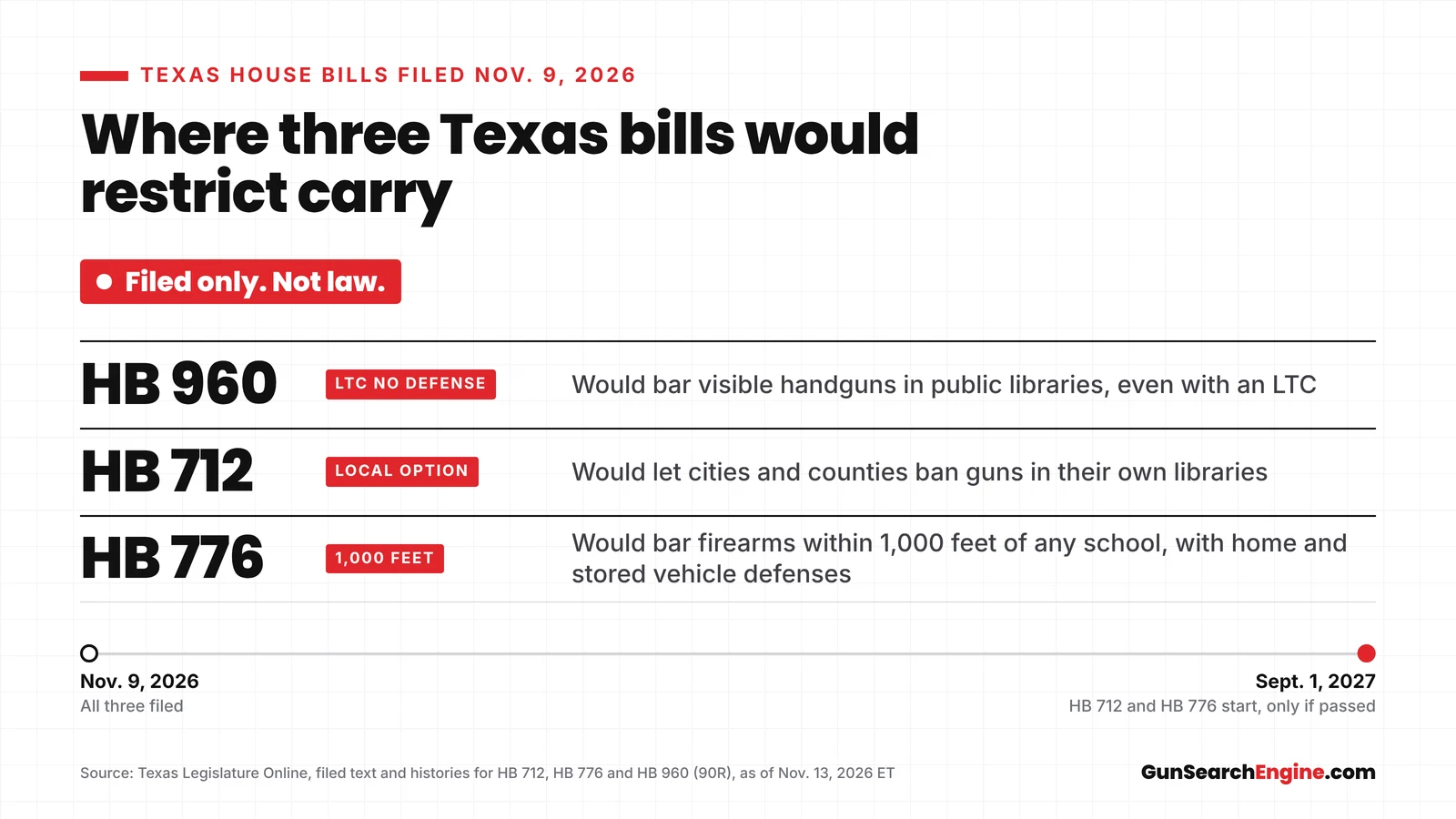
Three Texas House bills filed Nov. 9 would restrict carry in libraries and within 1,000 feet of schools. None is law yet; each is filed only.
- news
- Texas
November 12, 2026
Klobuchar backs SF 4067: how Minnesota's gun bill would restrict buyers and owners
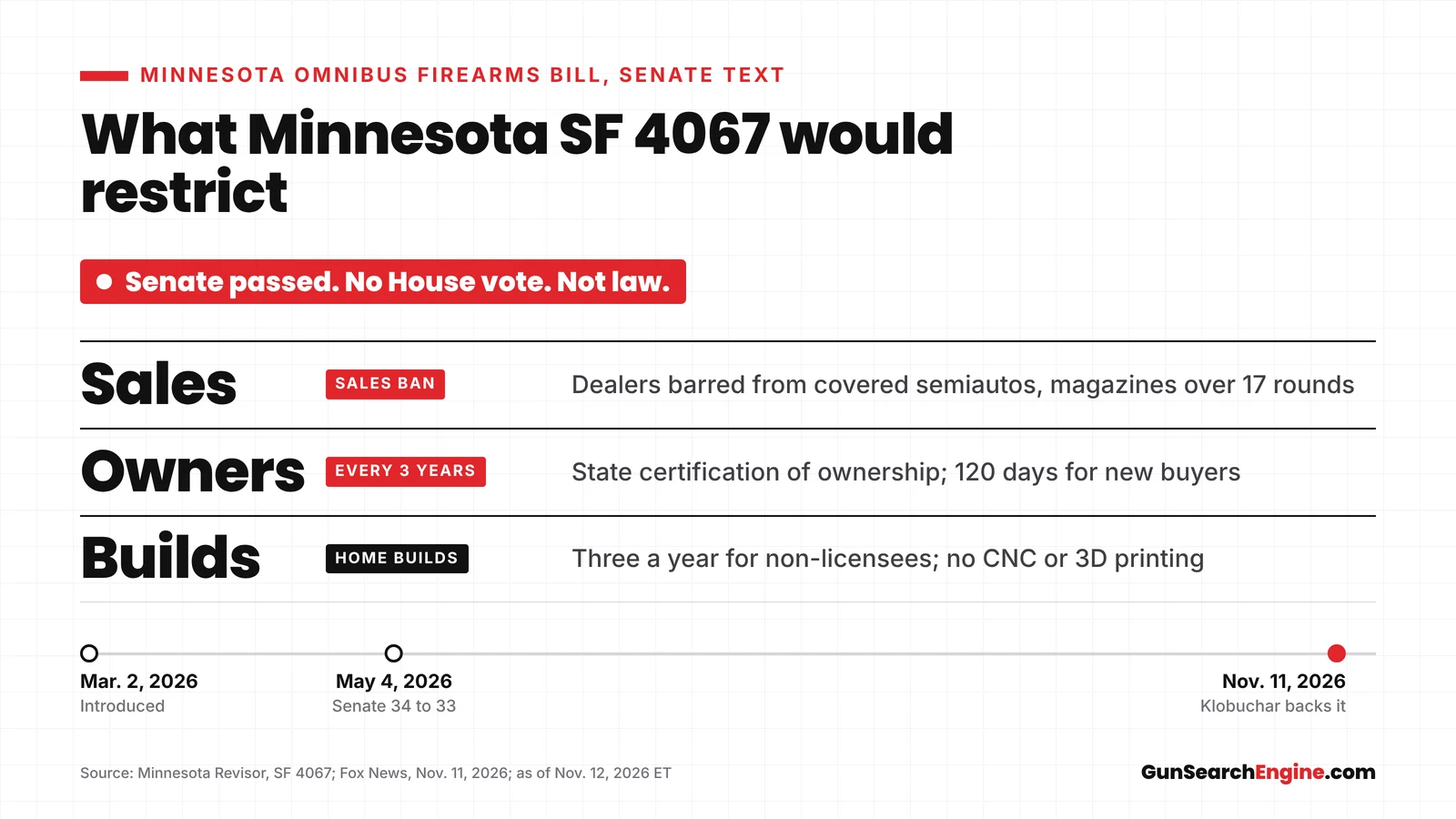
SF 4067 isn't law: Minnesota's Senate passed it 34-33 in May, with no House vote. What it would bar dealers from selling and require of current owners.
- news
- Minnesota
November 11, 2026
Ohio SB 214 goes to DeWine: what it changes for suppressors, SBRs and SBSs
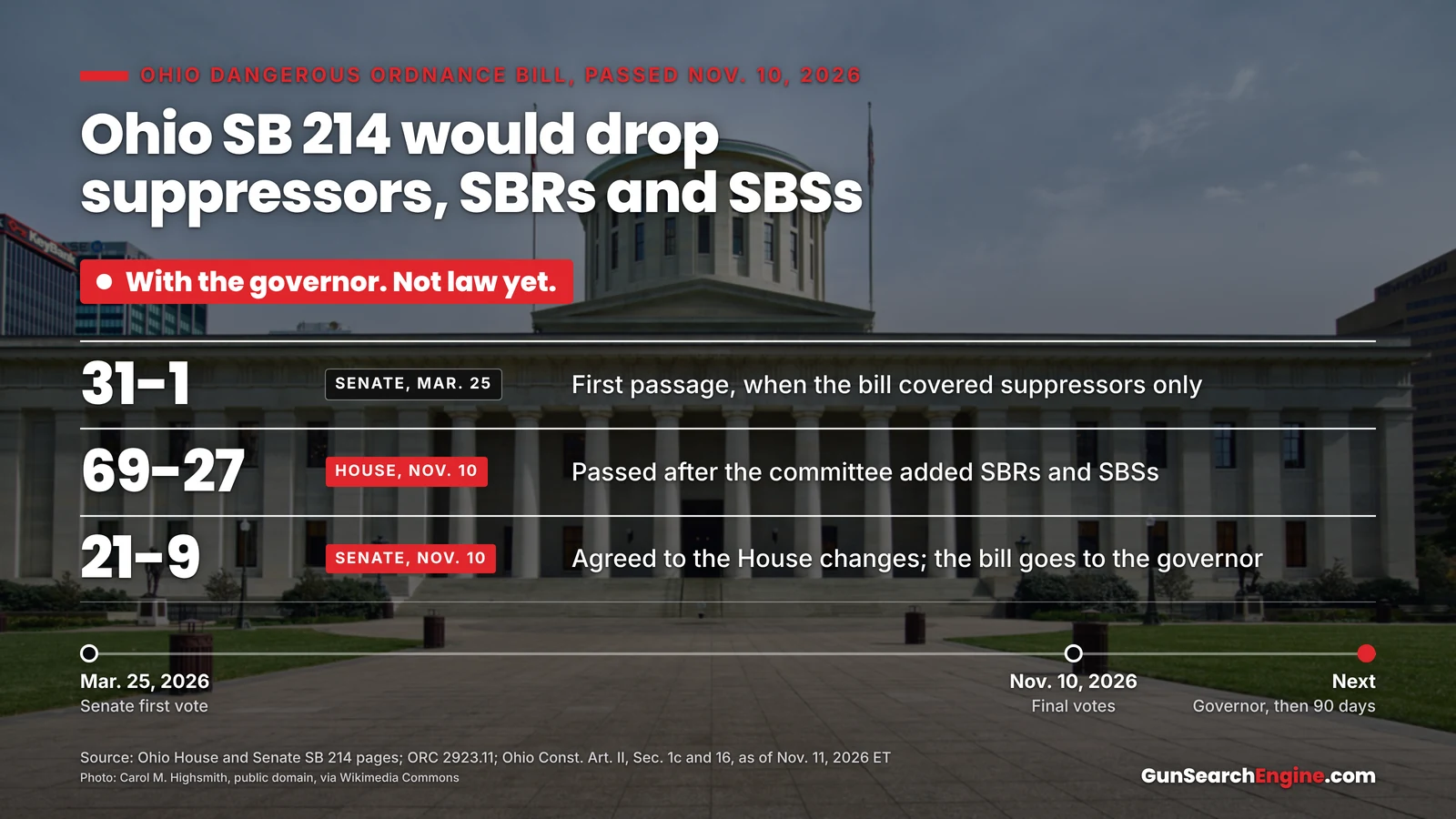
Ohio SB 214 passed both chambers Nov. 10 and now awaits Gov. DeWine. It would take suppressors, SBRs and SBSs out of the state's dangerous-ordnance law.
- news
- Ohio
November 10, 2026
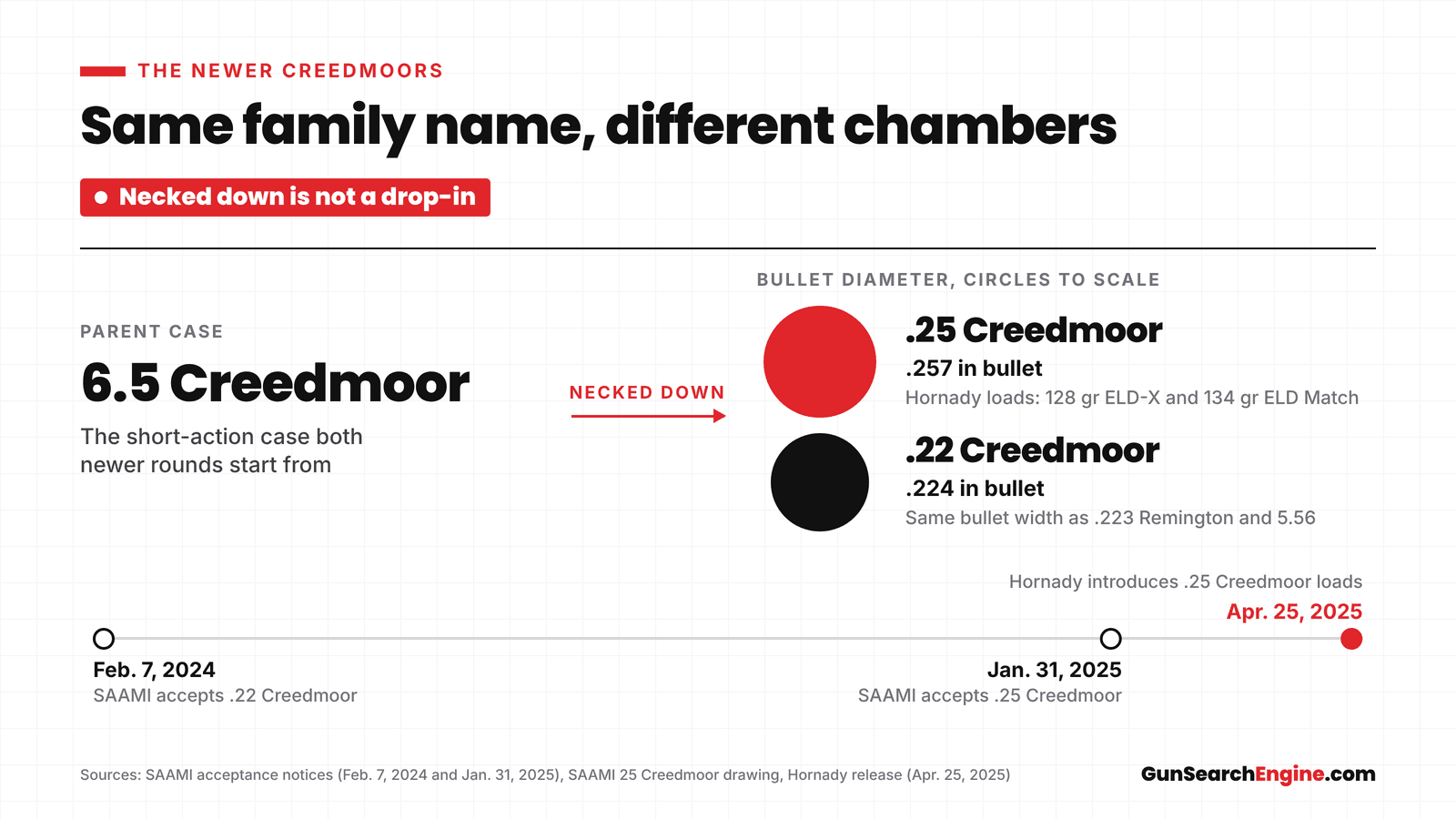
.25 Creedmoor and .22 Creedmoor Explained: The Newer Creedmoors
.25 and .22 Creedmoor start from the 6.5 Creedmoor case, necked down. What changed, why you can't swap them, and how to pick the right one.
- rifle ammo
- Creedmoor
- explainers
November 10, 2026
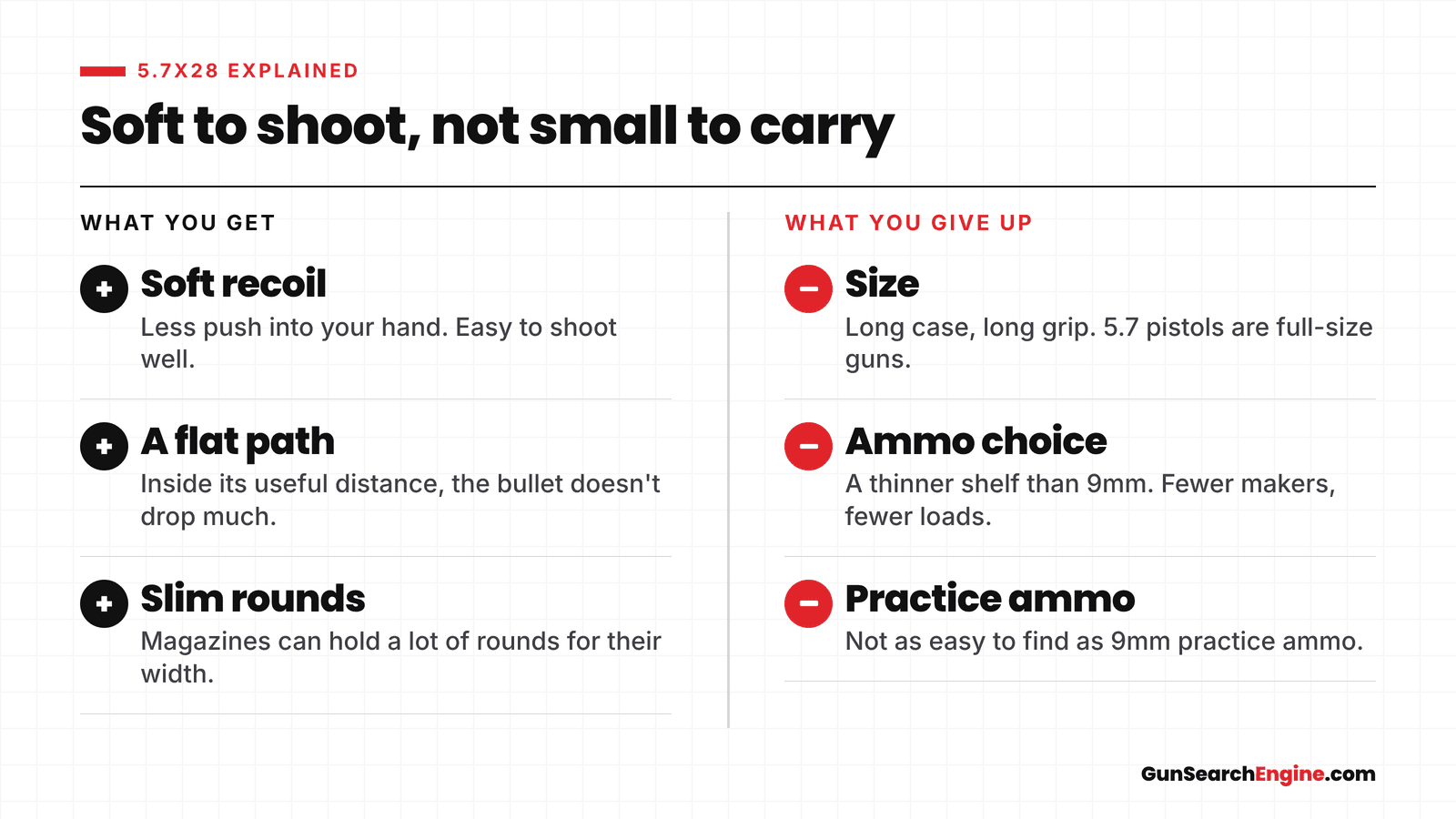
5.7x28 Explained: The Round, the Guns, the Tradeoffs
What 5.7x28 is, which pistols and carbines shoot it, and what you trade versus 9mm: soft recoil and a flat path for a long case and fewer loads.
- handgun ammo
- 5.7x28
- explainers
November 10, 2026
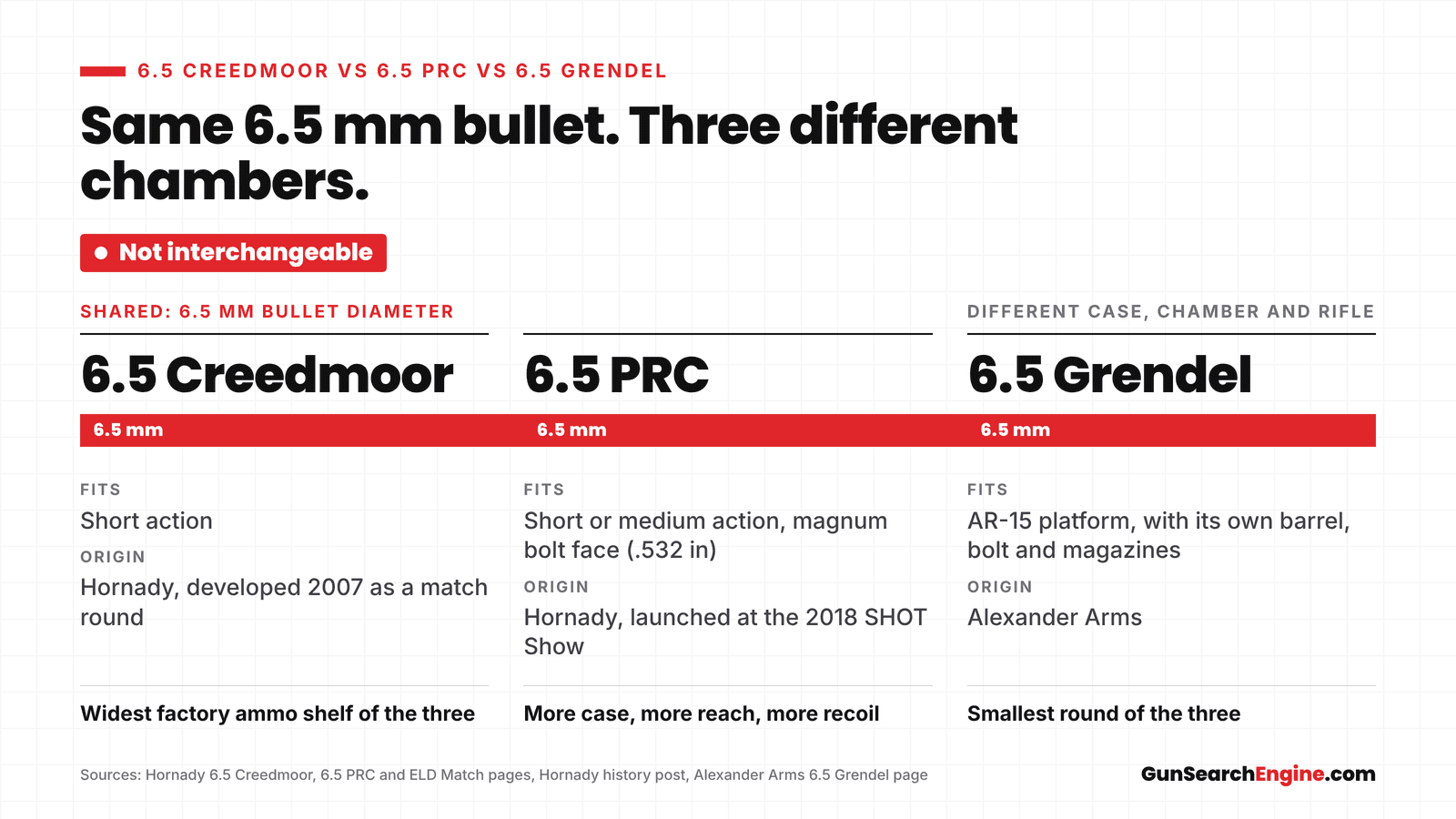
6.5 Creedmoor vs 6.5 PRC vs 6.5 Grendel: What's the Difference?
Compare 6.5 Creedmoor, 6.5 PRC and 6.5 Grendel by case, recoil, ammo shelf and the rifles chambered in each, and see which one to buy for deer.
- rifle ammo
- 6.5 Creedmoor
- explainers
November 10, 2026
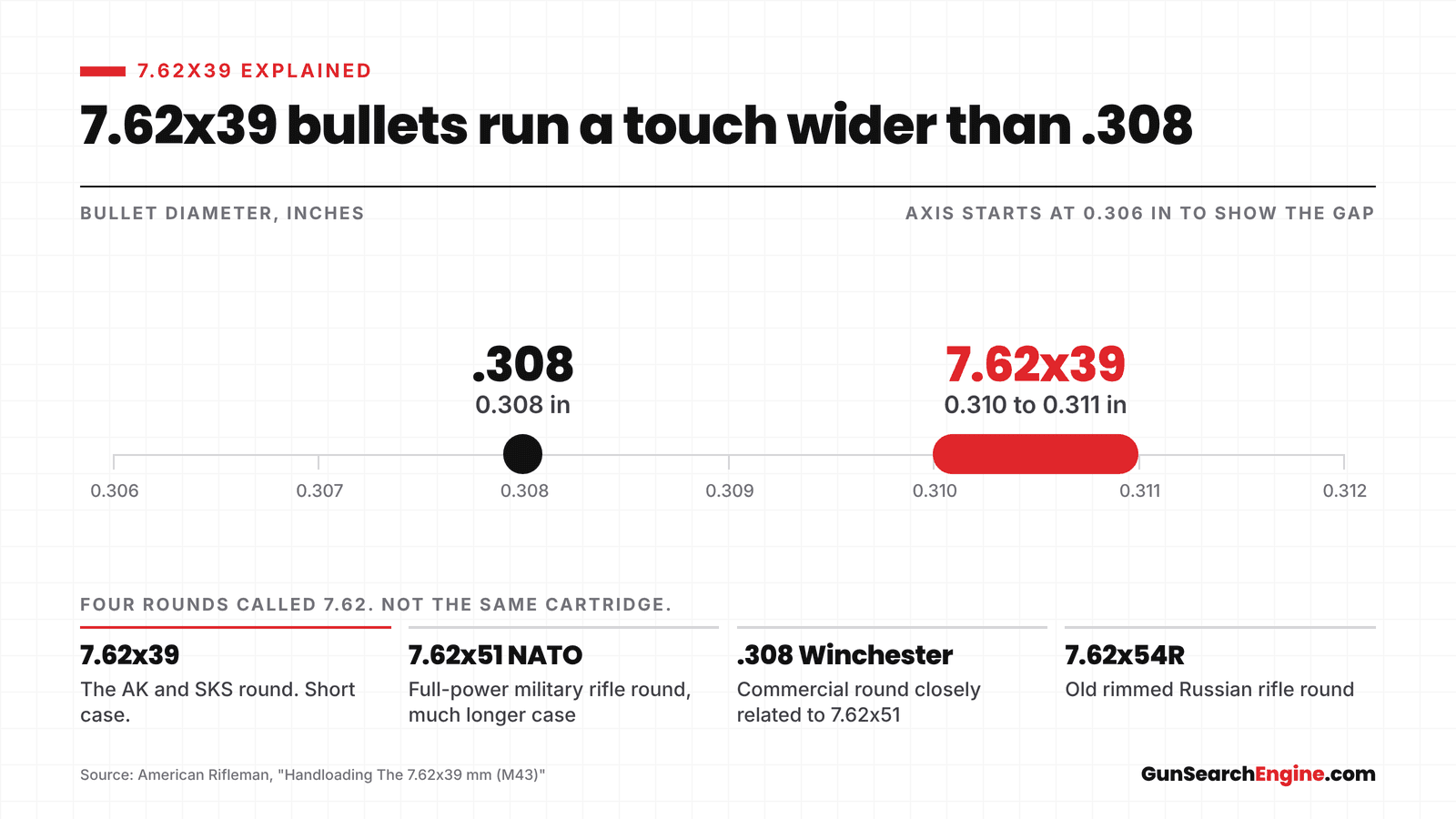
7.62x39 Explained: FMJ, Hunting Loads and What Shoots It
What 7.62x39 is, why FMJ and hunting loads do different jobs, which rifles shoot it, and why it isn't the same round as 7.62x51 or .308.
- rifle ammo
- 7.62x39
- explainers
November 10, 2026
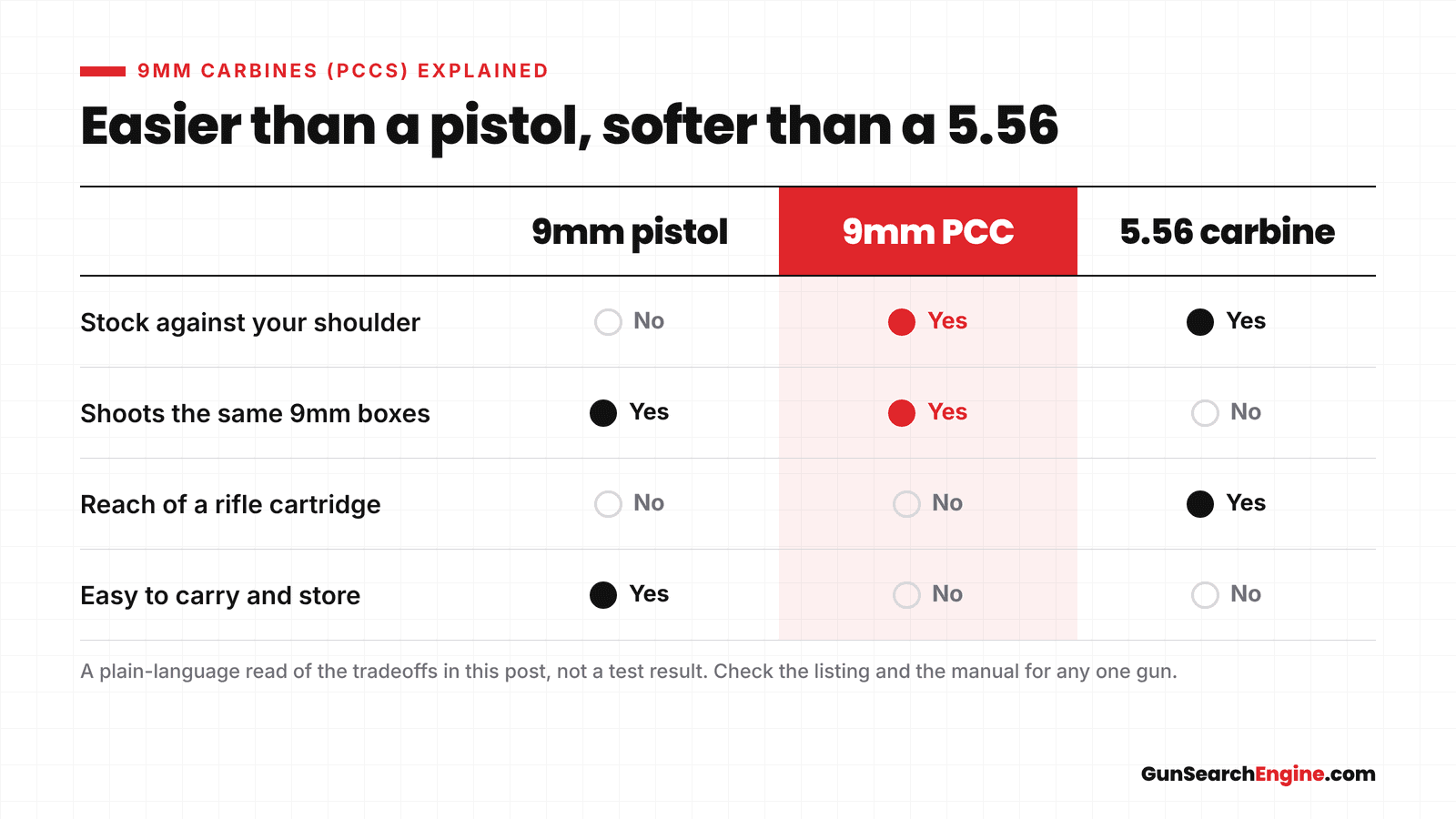
9mm Carbines (PCCs) Explained: Why a Rifle in a Pistol Caliber
A pistol caliber carbine is a shouldered gun that shoots pistol ammo, usually 9mm. Why that's useful, what you give up, and where to look next.
- guns
- 9mm
- explainers
November 10, 2026
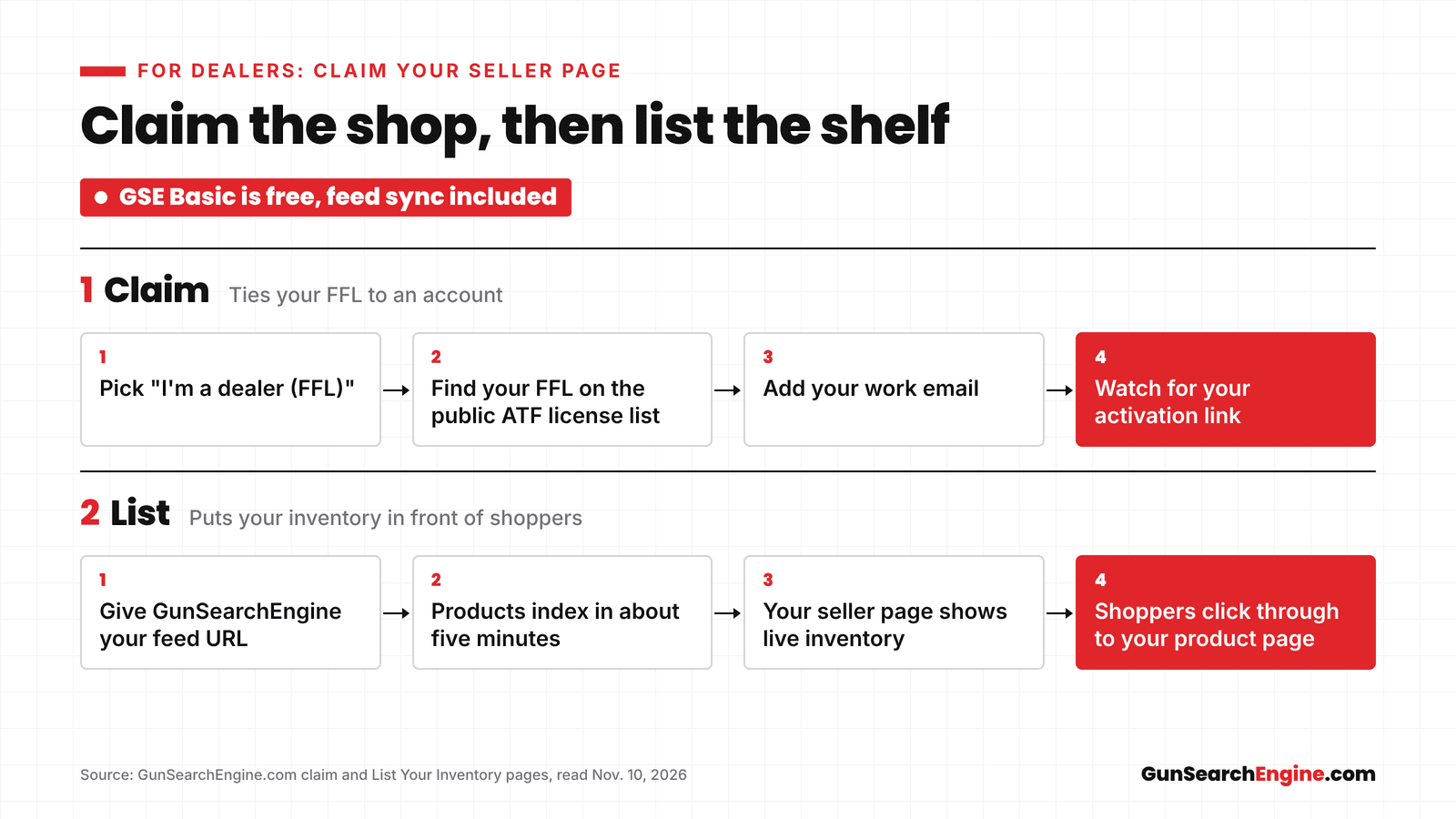
How to Claim Your Gun Store Listing on GunSearchEngine
Claim your gun store on GunSearchEngine with the public ATF license list, add the feed you already use, and send shopper clicks to your own product pages.
- for dealers
- seller pages
November 10, 2026
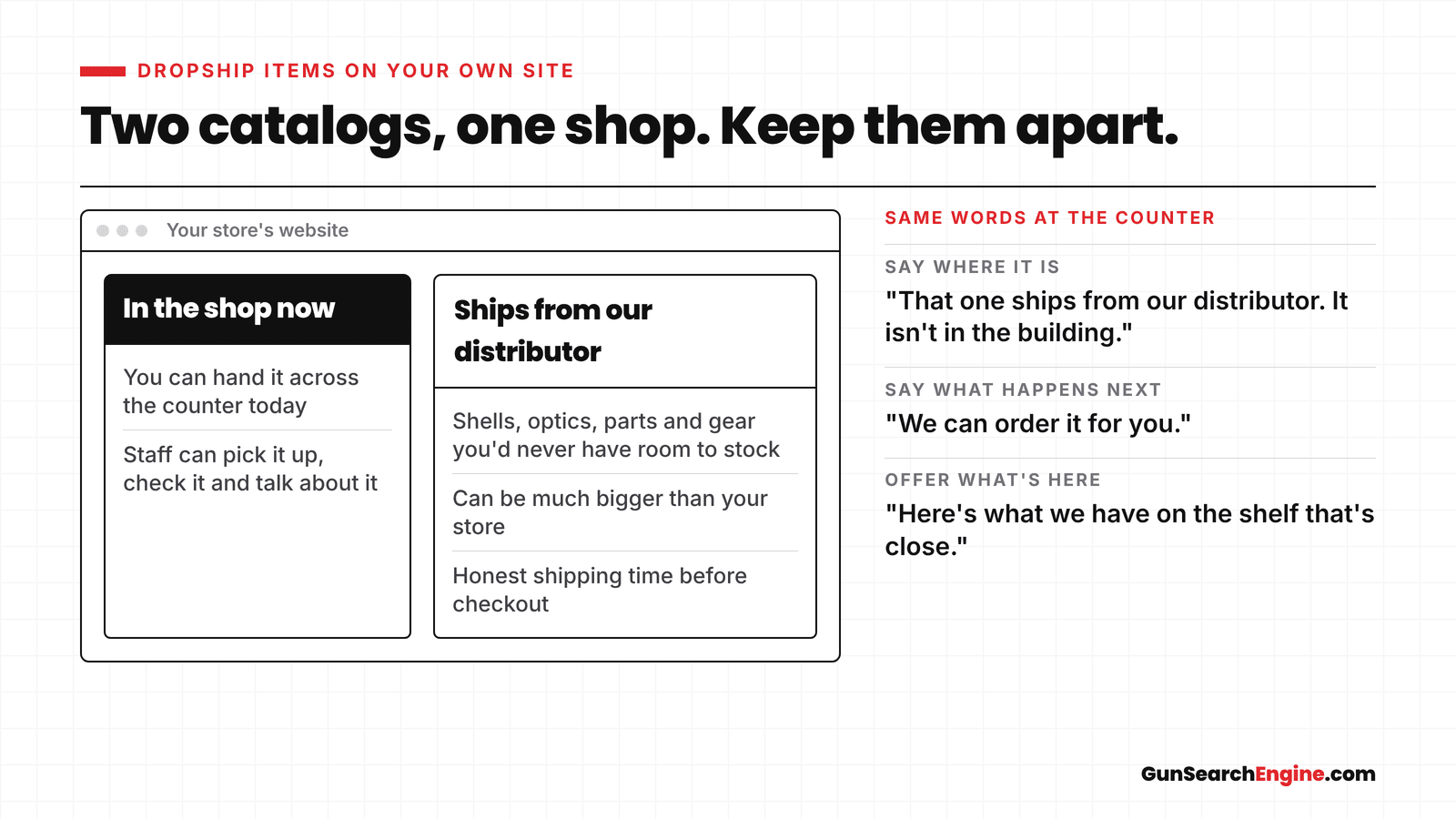
Selling Dropship Items Without Confusing Walk-In Customers
How to sell dropship or catalog items on your gun store website without sending walk-in customers after a gun that isn't on the shelf.
- for dealers
- dropship
November 10, 2026
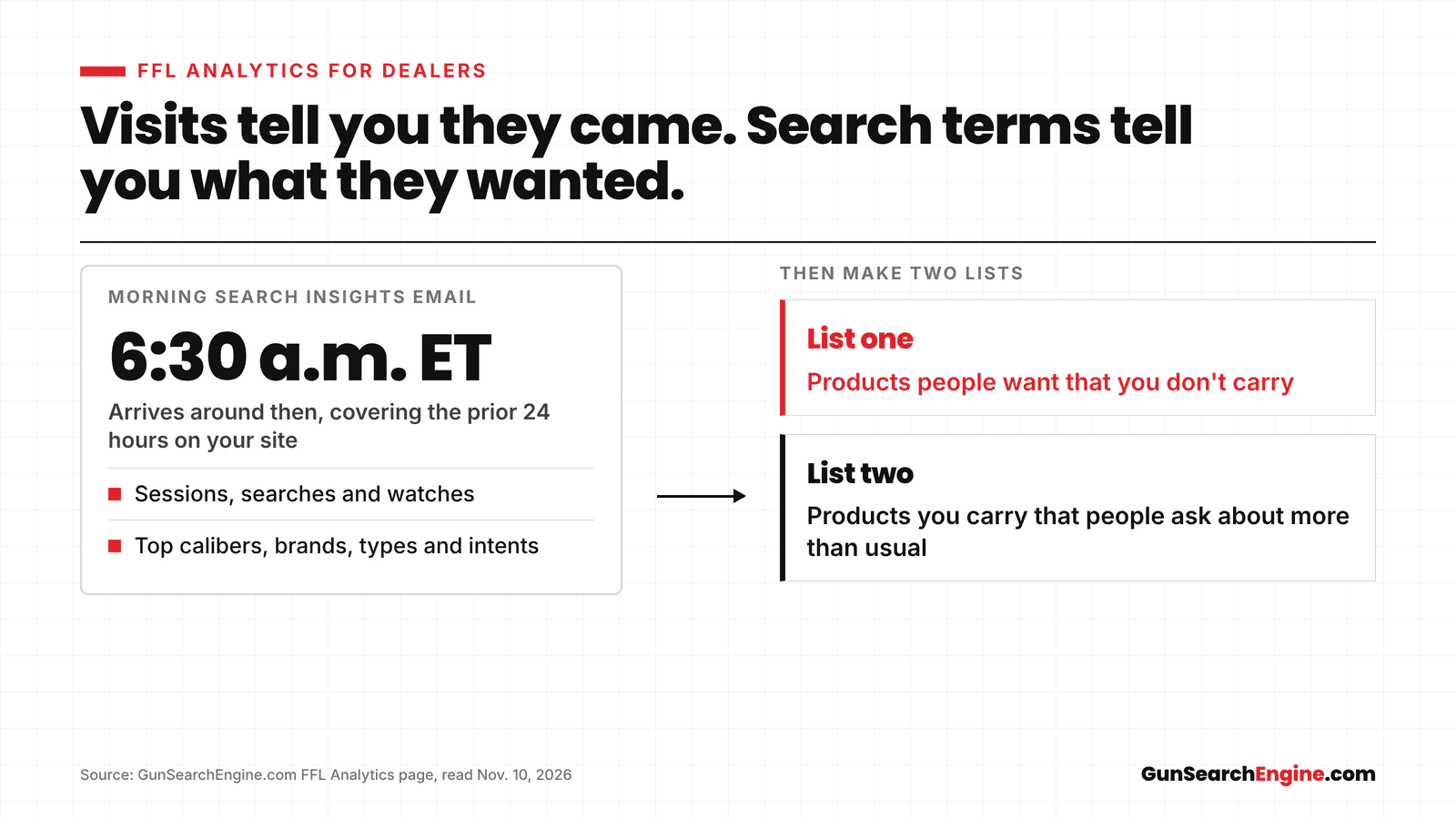
What FFL Analytics Shows a Dealer About What Shoppers Want
FFL Analytics shows the calibers and products shoppers type on your gun store site, including ones you don't carry. What it shows and how to use it.
- for dealers
- FFL Analytics
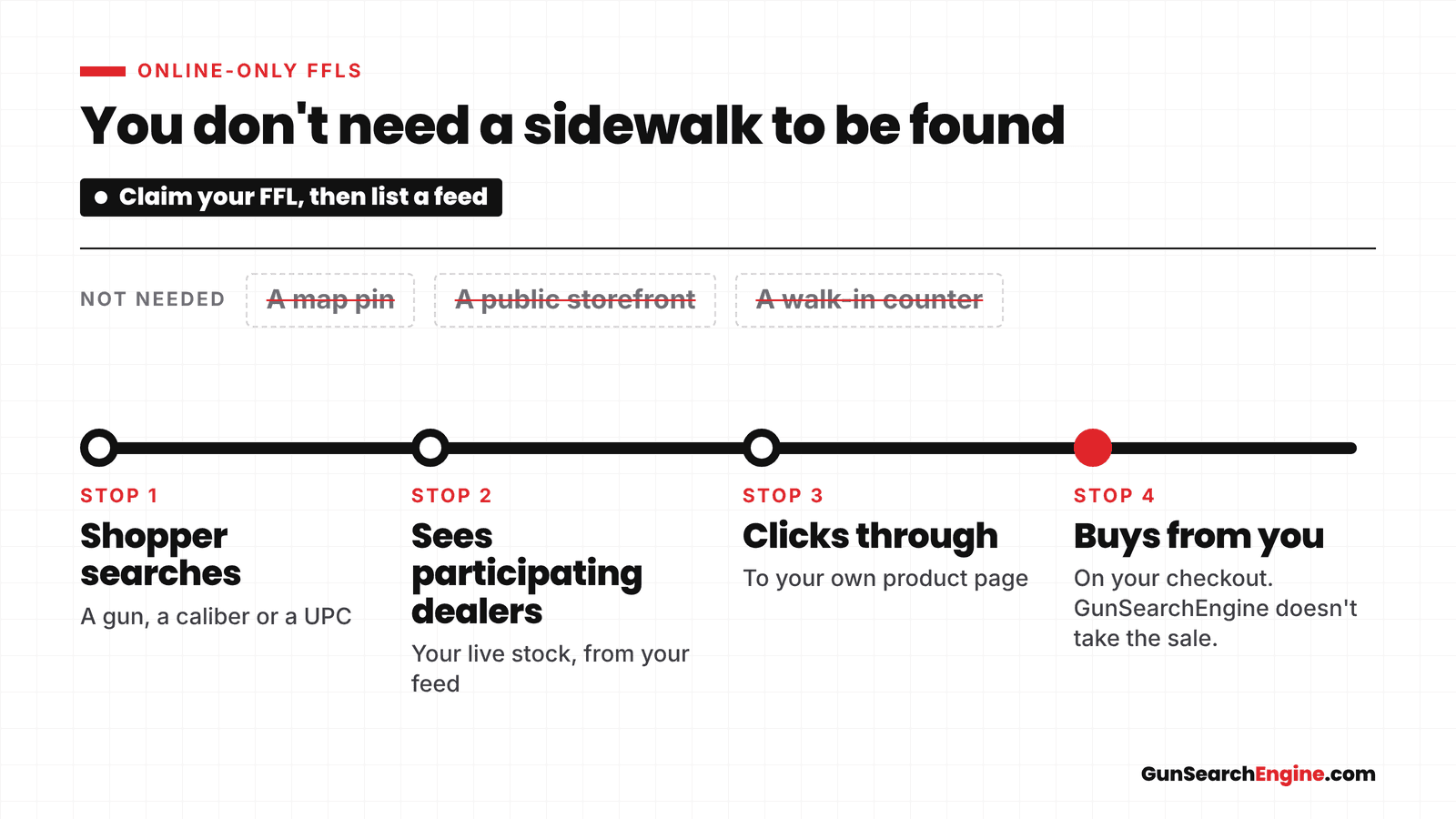
November 10, 2026
Online-Only FFL? How to Get Listed and Found Without a Storefront
How an online-only FFL can claim a GunSearchEngine listing, publish an inventory feed, and get found without a walk-in storefront.
- for dealers
- online-only FFLs
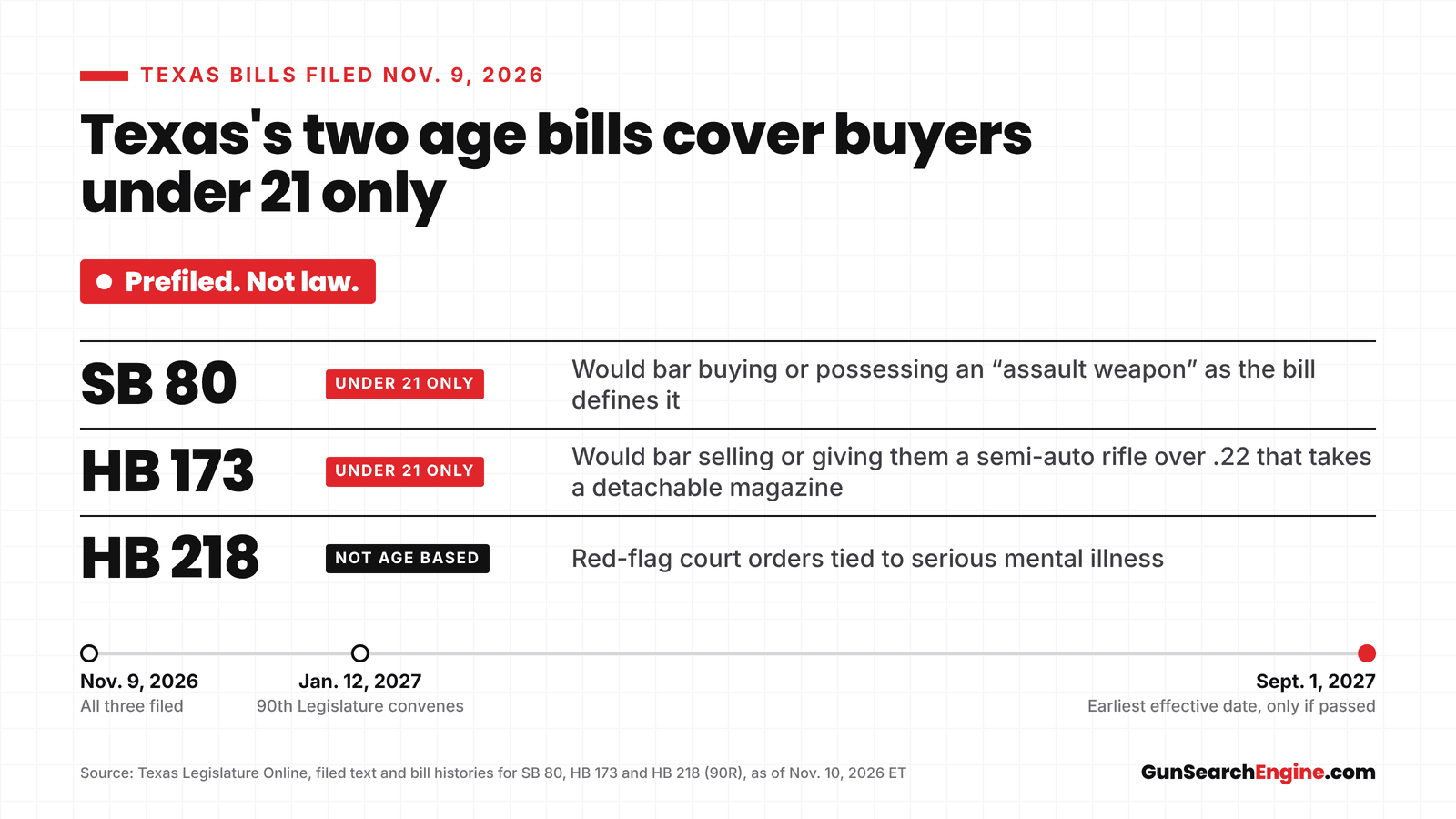
November 10, 2026
How Texas's new gun bills would restrict buyers: SB 80, HB 173 and HB 218
SB 80, HB 173 and HB 218 are prefiled Texas bills, not law. The age bills deal only with under-21 buyers and sales to them. What the filed text says.
- news
- Texas
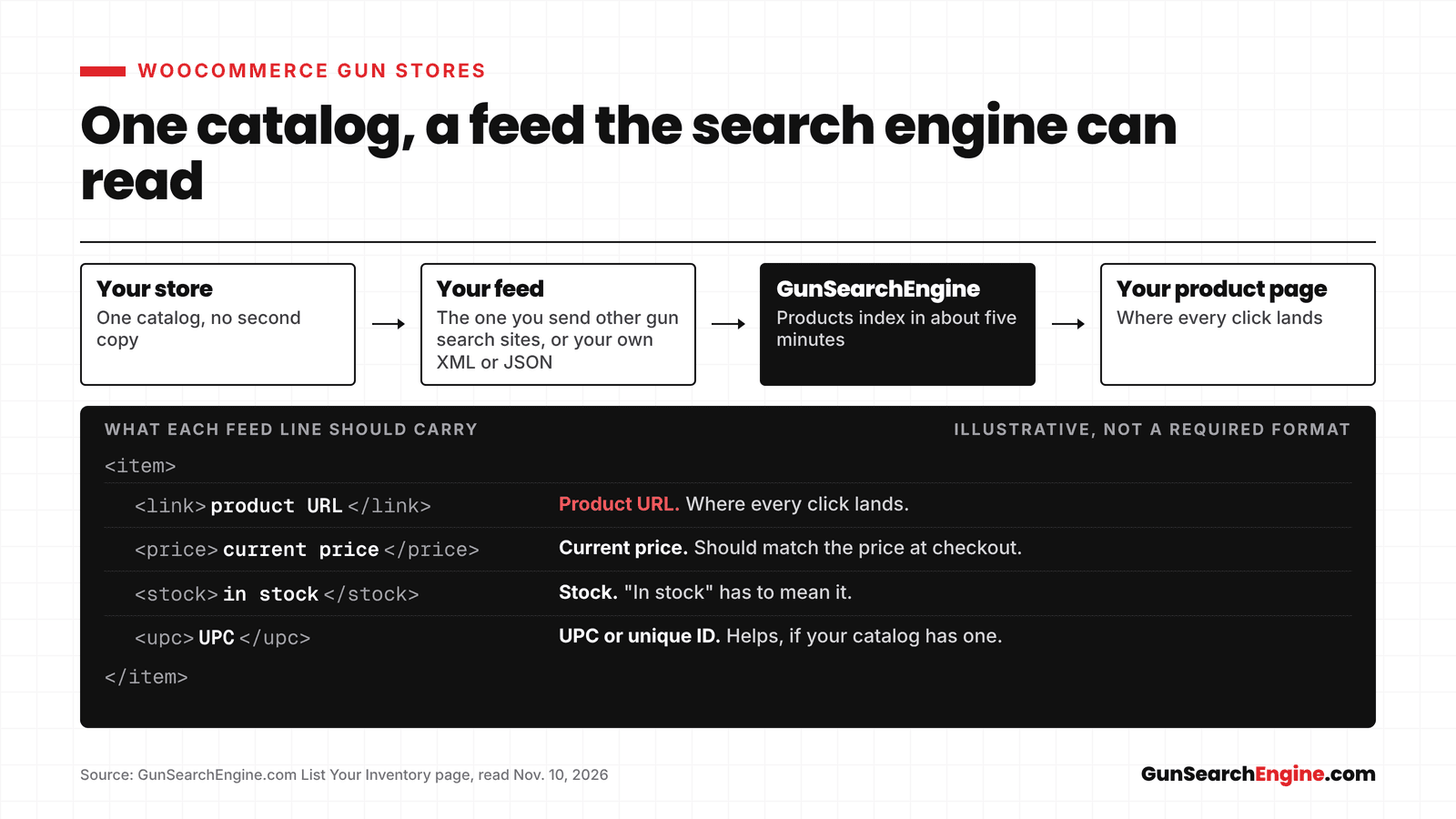
November 10, 2026
WooCommerce Gun Stores on GunSearchEngine: Getting Your Catalog Listed
How a WooCommerce gun store gets its catalog on GunSearchEngine, using a feed you may already send to other search sites, or your own XML or JSON.
- for dealers
- WooCommerce
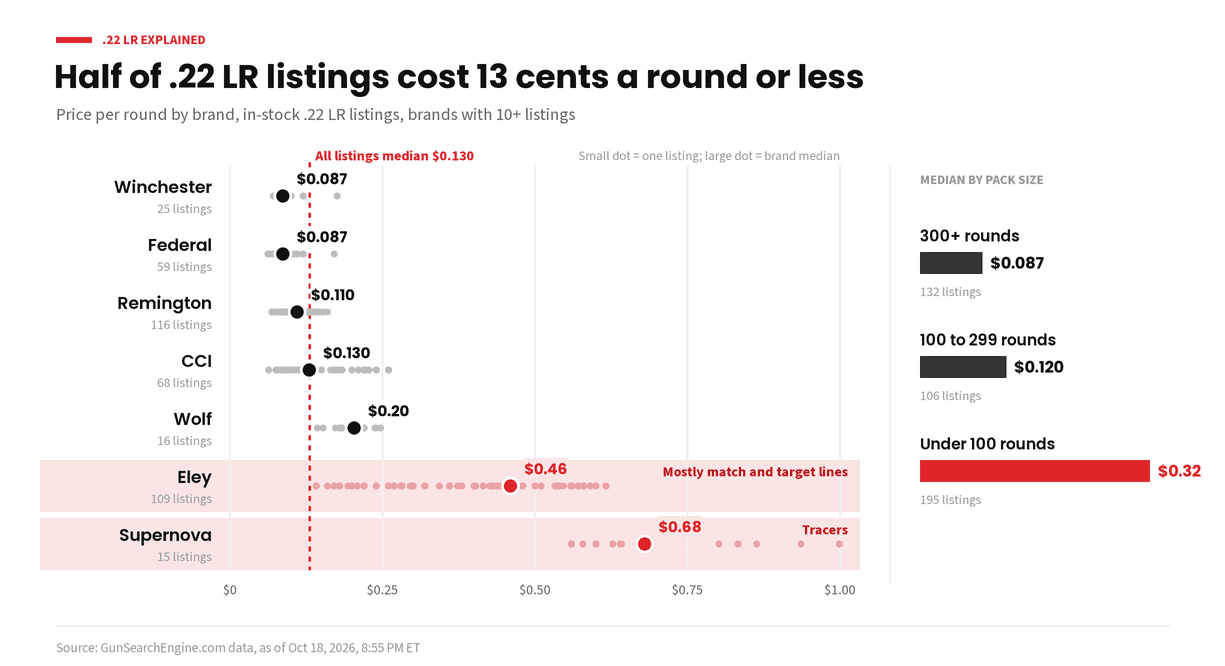
October 29, 2026
.22 LR Explained: What It's Good For and How to Choose Loads
The .22 LR is one of the most common rounds to learn on. Here is what it is, what it is good for, and how subsonic, standard and high velocity loads differ.
- rimfire
- .22 LR
- explainers
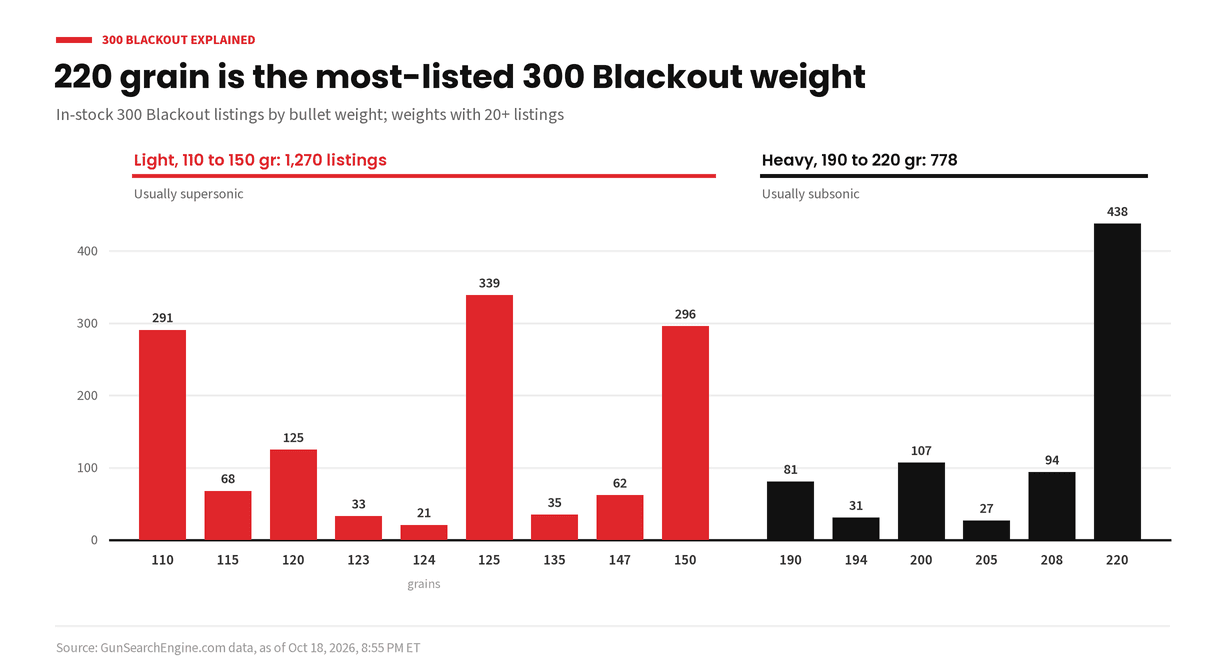
October 29, 2026
300 Blackout Explained: Supersonic, Subsonic and What Shoots It
The 300 Blackout puts a .30 caliber bullet in a rifle built around 5.56 parts. Here is how supersonic and subsonic loads differ, what shoots it, and the safety rule every owner needs.
- rifle ammo
- 300 Blackout
- explainers
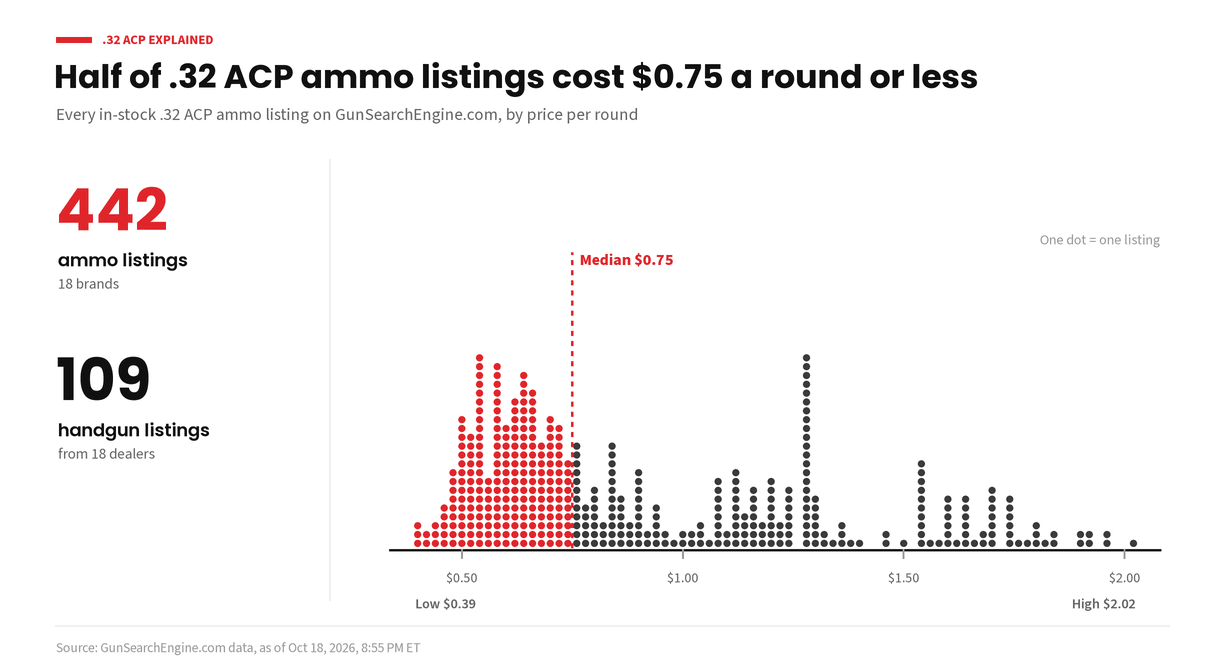
October 29, 2026
.32 ACP Explained: The Small Pistol Round That's Still Around
The .32 ACP is an old pocket pistol round that never quite went away. Here is what it is, what shoots it, and who it still makes sense for.
- handgun ammo
- .32 ACP
- explainers
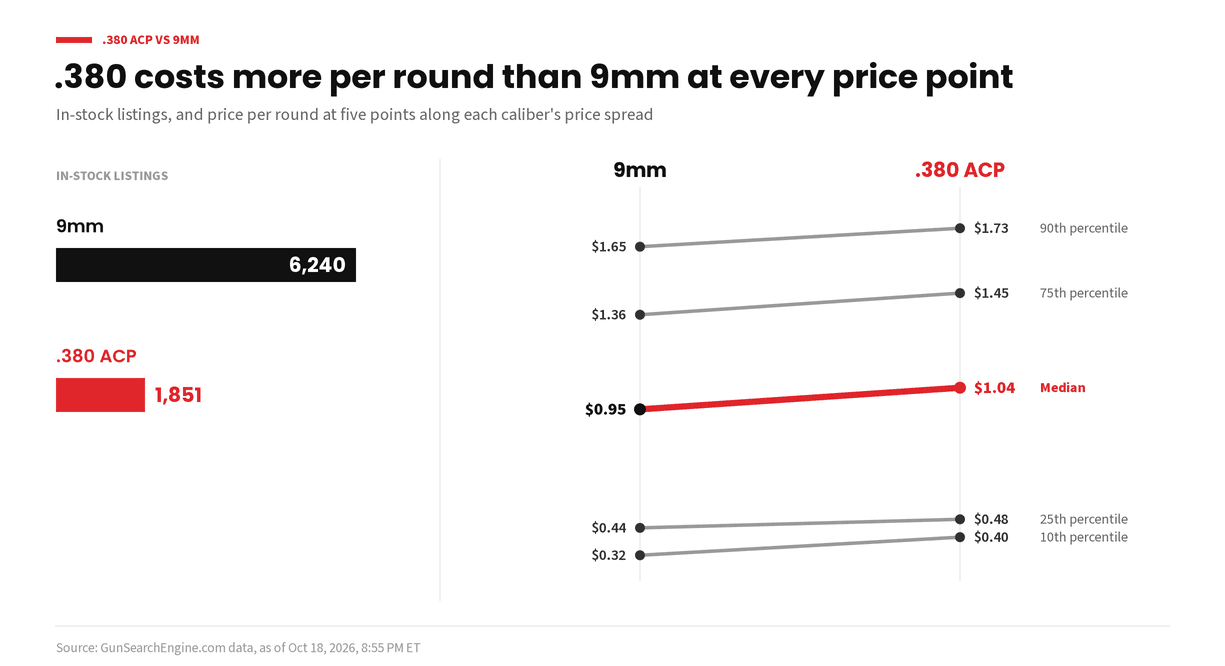
October 29, 2026
.380 ACP vs 9mm for Everyday Carry: What's the Difference?
The .380 ACP and the 9mm use bullets of about the same width, but they are not the same round. Here is how they compare for everyday carry, from recoil to pistol size.
- handgun ammo
- .380 ACP
- 9mm
- concealed carry
- comparisons
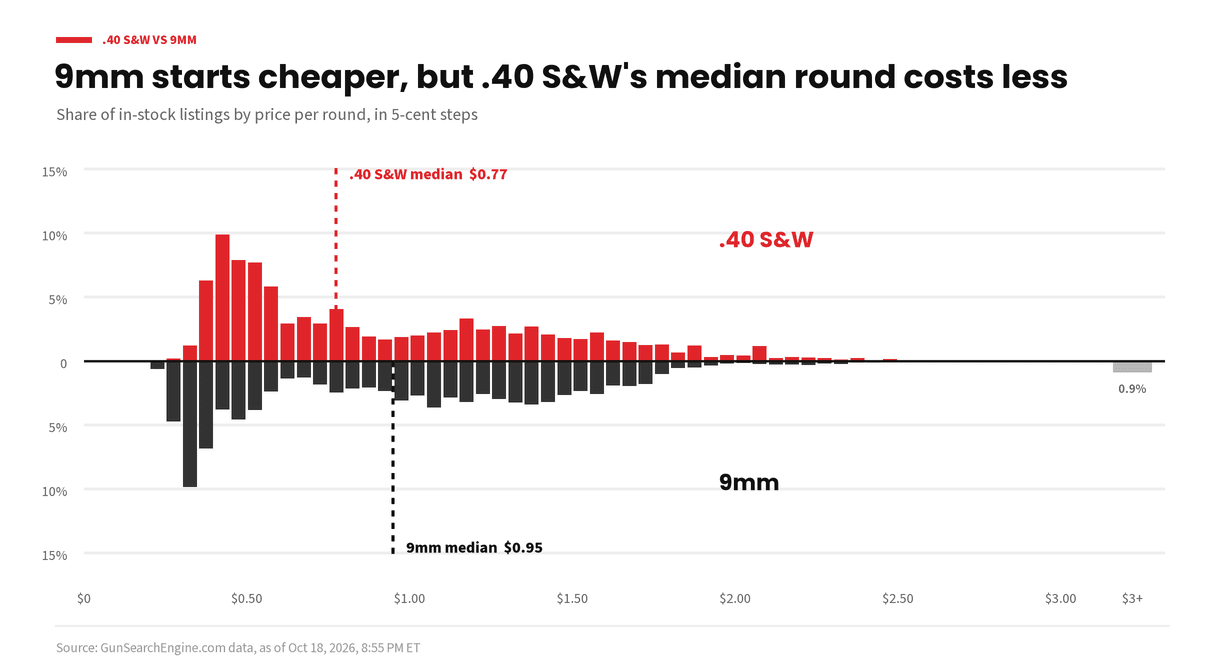
October 29, 2026
.40 S&W vs 9mm: What's the Difference?
The .40 S&W and the 9mm are two of the most common pistol rounds. Here is how they differ in size, recoil and capacity, and why so many shooters have moved to 9mm.
- handgun ammo
- .40 S&W
- 9mm
- comparisons
October 29, 2026
.45 ACP vs 9mm: What's the Difference?
Big and slow vs small and fast. Here is how the .45 ACP and the 9mm compare on bullet size, recoil, capacity and practice, and who each one suits.
- handgun ammo
- .45 ACP
- 9mm
- comparisons
October 29, 2026
.50 AE Explained: The Biggest Common Pistol Round
The .50 Action Express is the round behind the big Desert Eagle pistol. Here is what it is, what shoots it, and what to expect if you want to try one.
- handgun ammo
- .50 AE
- explainers
October 29, 2026
What FBI Background Check Numbers Do and Don't Tell You
Monthly FBI background check counts get quoted as gun sales. They are not. Here is what the numbers count, what they leave out, and how to read them.
- data
- background checks
- explainers
October 29, 2026
FMJ vs Hollow Point: What's the Difference?
Full metal jacket and hollow point bullets are built for different jobs. Here is how each one works, when to use which, and why many shooters practice with one and carry the other.
- handgun ammo
- 9mm
- bullet types
- comparisons
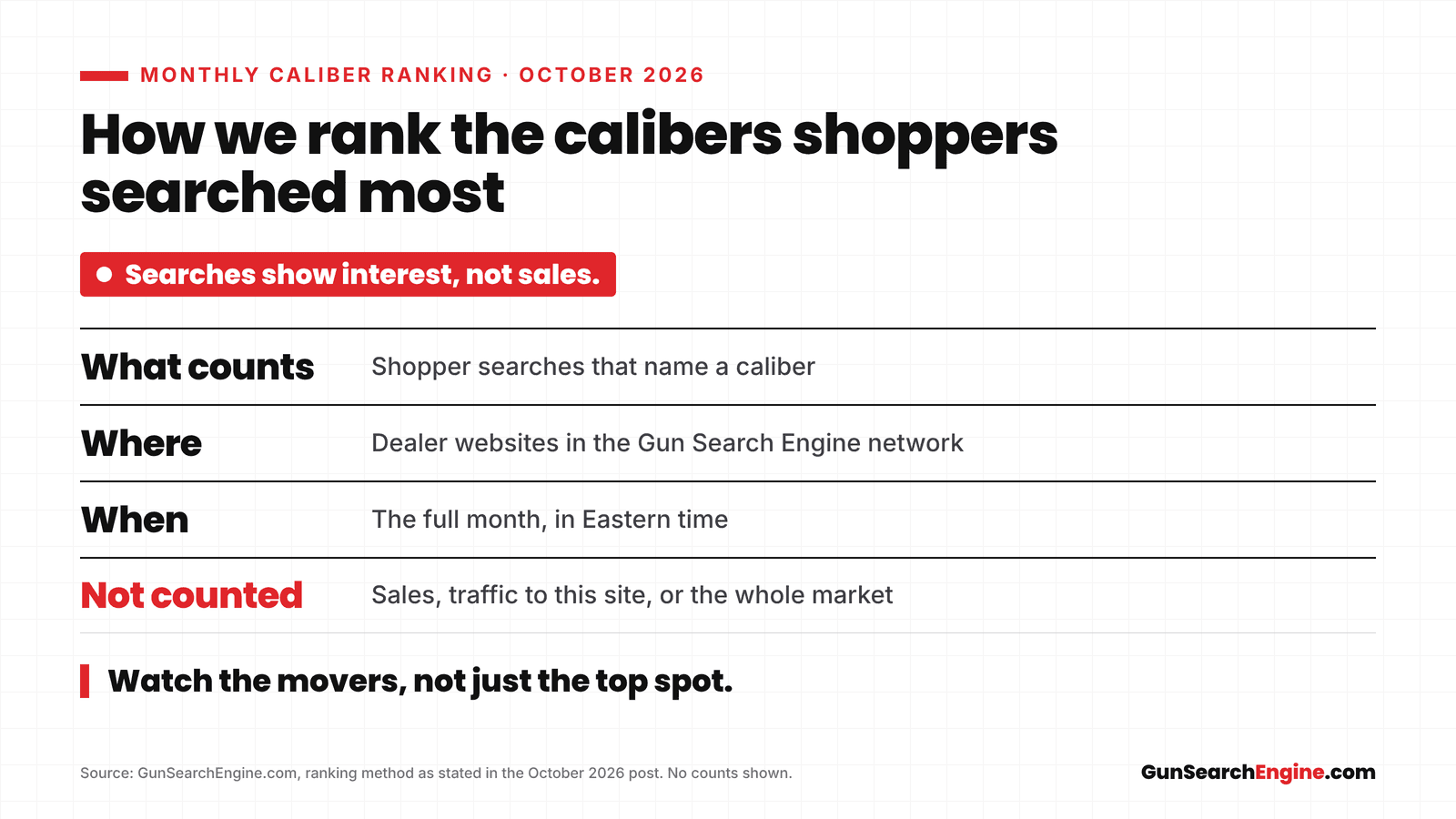
October 29, 2026
What Calibers Shoppers Searched Most in October 2026
A monthly ranking of the calibers shoppers searched for most on participating dealer sites. What the ranking measures, what it does not, and how to use it.
- data
- calibers
- monthly ranking
October 29, 2026
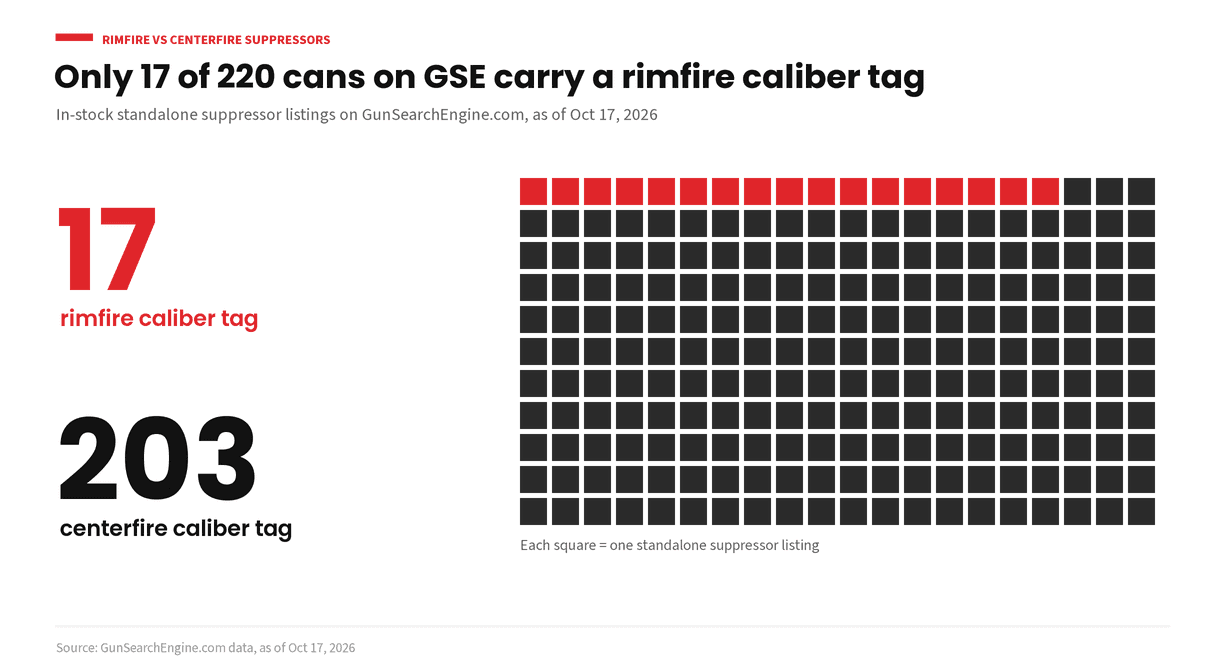
Rimfire vs Centerfire Suppressors: What's the Difference?
Why rimfire and centerfire suppressors are built differently, why a .22 LR can is a common first can, when a centerfire can makes more sense, and what to ask your dealer. Per ATF guidance as of October 2026.
- suppressors
- nfa
- rimfire
- .22 LR
October 29, 2026
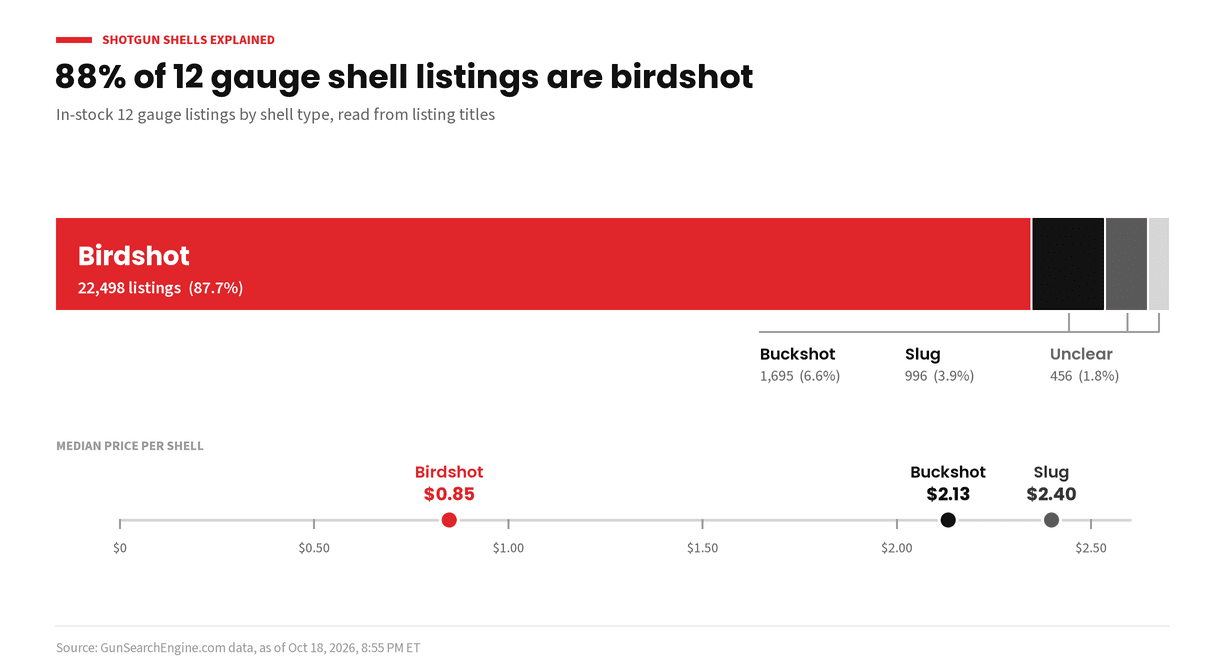
Shotgun Shells Explained: Birdshot, Buckshot and Slugs
Birdshot, buckshot and slugs do very different jobs. Here is what each shotgun shell is for, how shot sizes work, and what to check on your barrel before you buy.
- shotgun ammo
- 12 gauge
- explainers
October 29, 2026
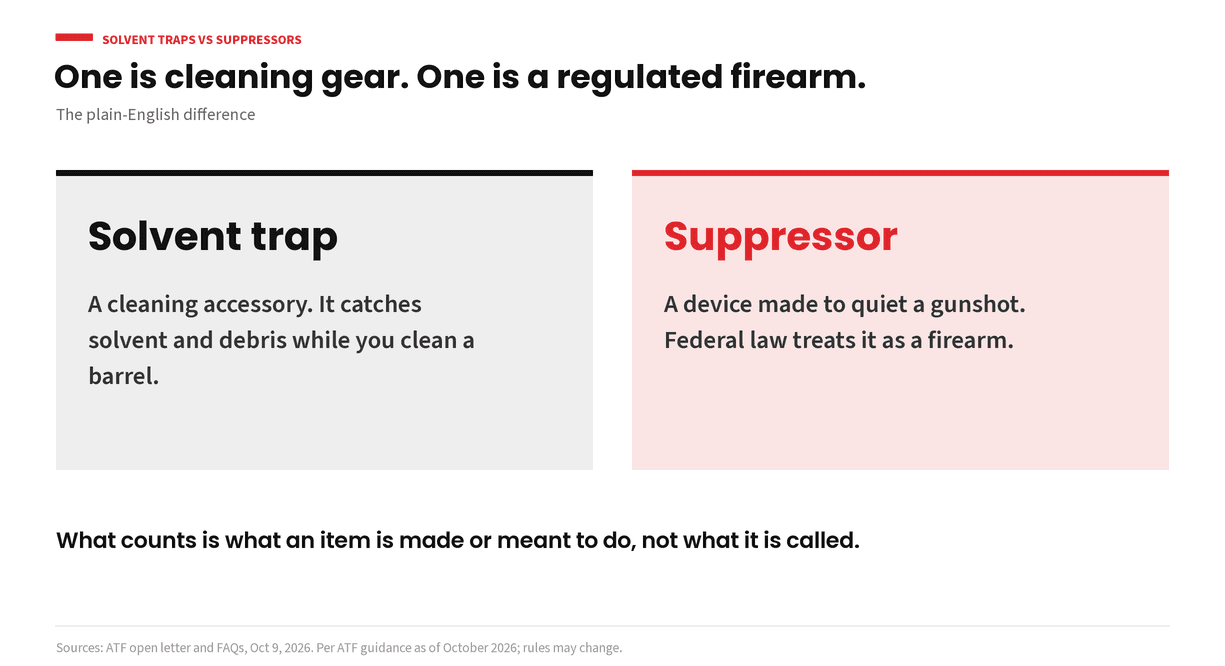
Solvent Traps vs Suppressors: What's the Difference?
A solvent trap is cleaning gear. A suppressor is a device made to quiet a gunshot, and the law treats it as a firearm. Here is the plain-English difference, and what the recent federal changes do and don't change. Per ATF guidance as of October 2026.
- suppressors
- nfa
- solvent traps
October 28, 2026
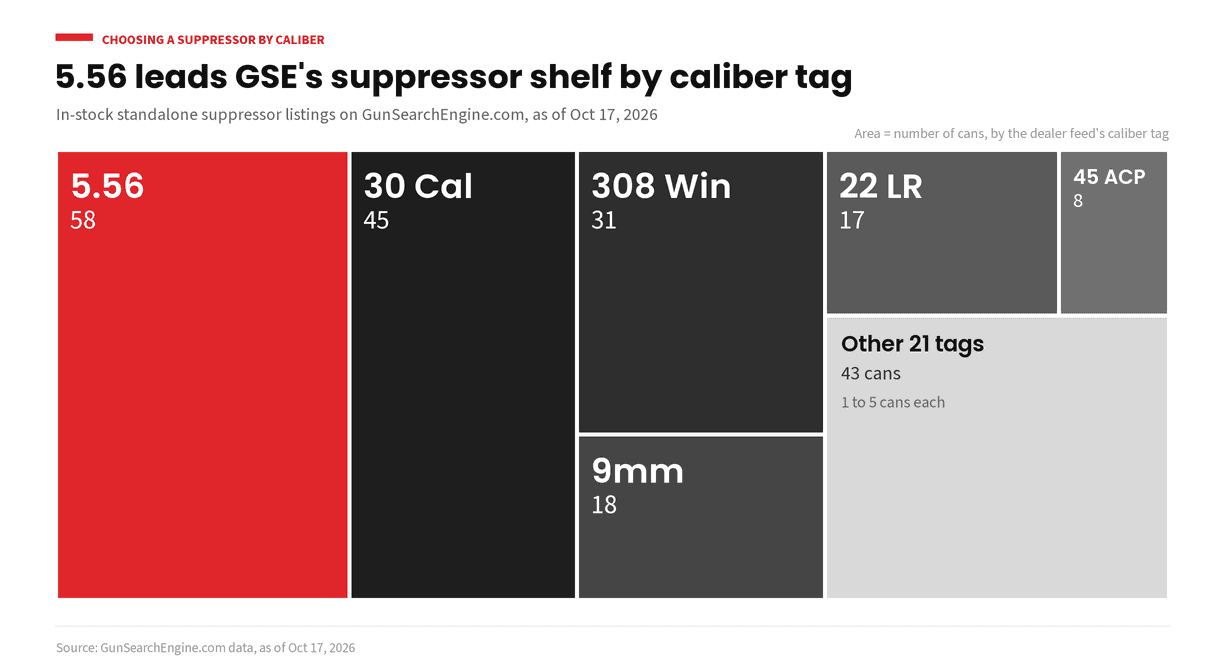
How to Choose a Suppressor by Caliber: A Plain-English Guide
How caliber decides which suppressor fits: the rated-caliber rule, pistol, rifle and multi-caliber cans, why slower ammo is quieter, and what to ask your dealer. Per ATF guidance as of October 2026.
- suppressors
- nfa
- calibers
October 27, 2026
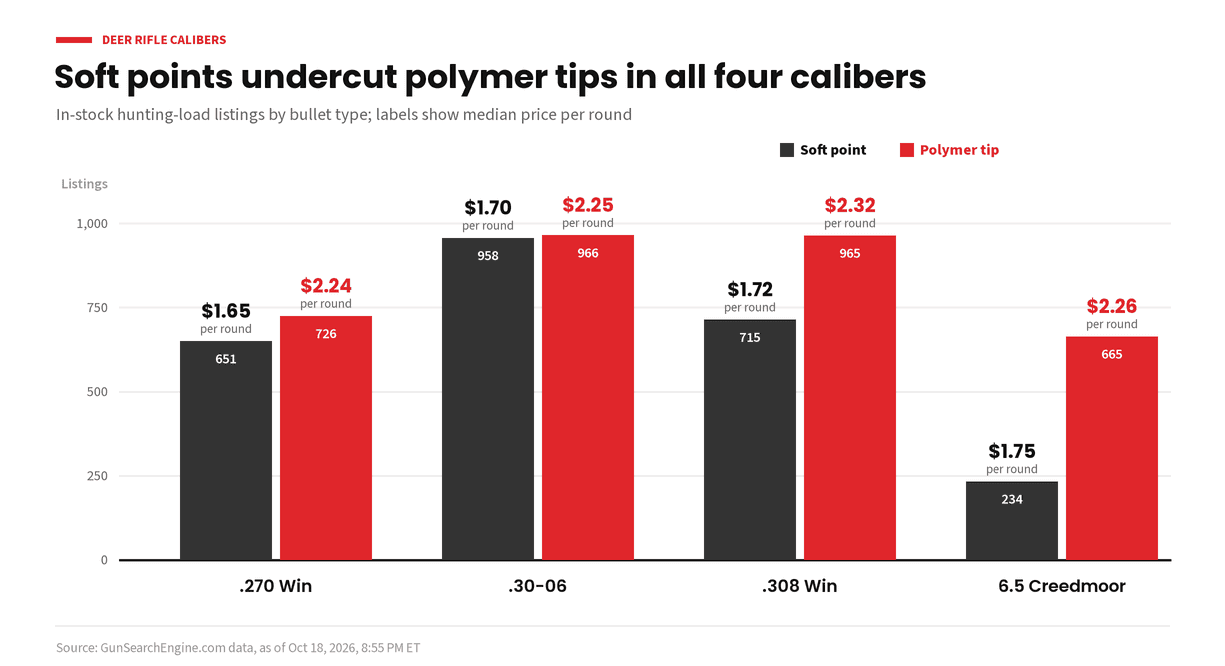
Deer Rifle Calibers Compared: .270, .30-06, .308 and 6.5 Creedmoor
Four classic deer rounds side by side: the .270 Winchester, .30-06 Springfield, .308 Winchester and 6.5 Creedmoor. What each does well and how to pick one for the way you hunt.
- hunting
- rifle ammo
- .308 Winchester
- 6.5 Creedmoor
- comparisons
October 20, 2026
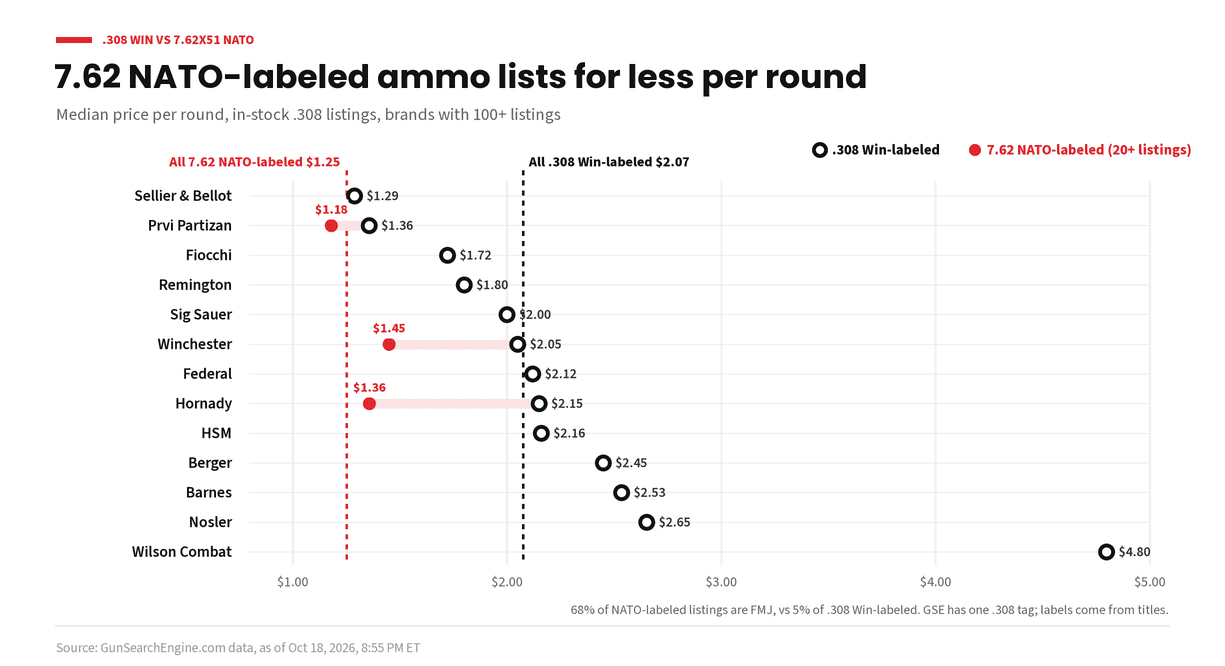
.308 Winchester vs 7.62x51 NATO: What's the Difference?
The .308 Winchester and 7.62x51 NATO share the same outside size, but they come from different specs. Here is what actually differs and how to tell what your rifle should shoot.
- rifle ammo
- .308 Winchester
- 7.62x51 NATO
- comparisons
October 18, 2026
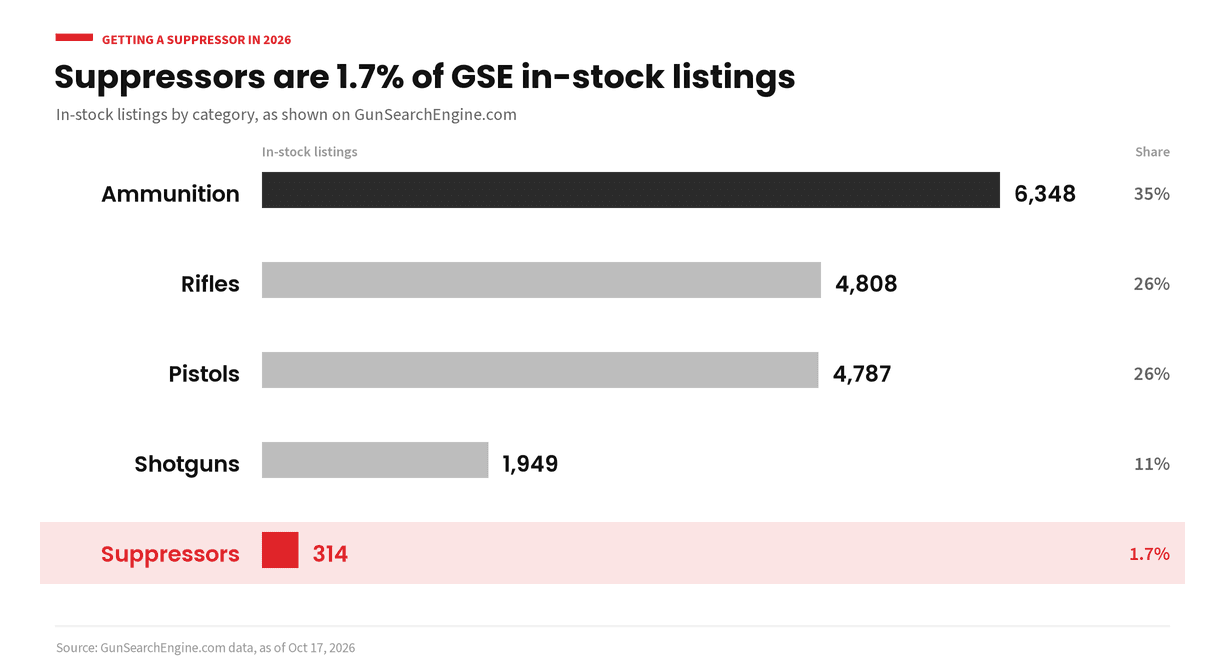
How to Buy a Suppressor: A Plain-English Guide to How It Works Now
How getting a suppressor works now that the federal tax is zero and federal registration is not being enforced, what your local dealer still does, and what to ask first. Per ATF guidance as of October 2026.
- suppressors
- nfa
- buying guide
October 18, 2026
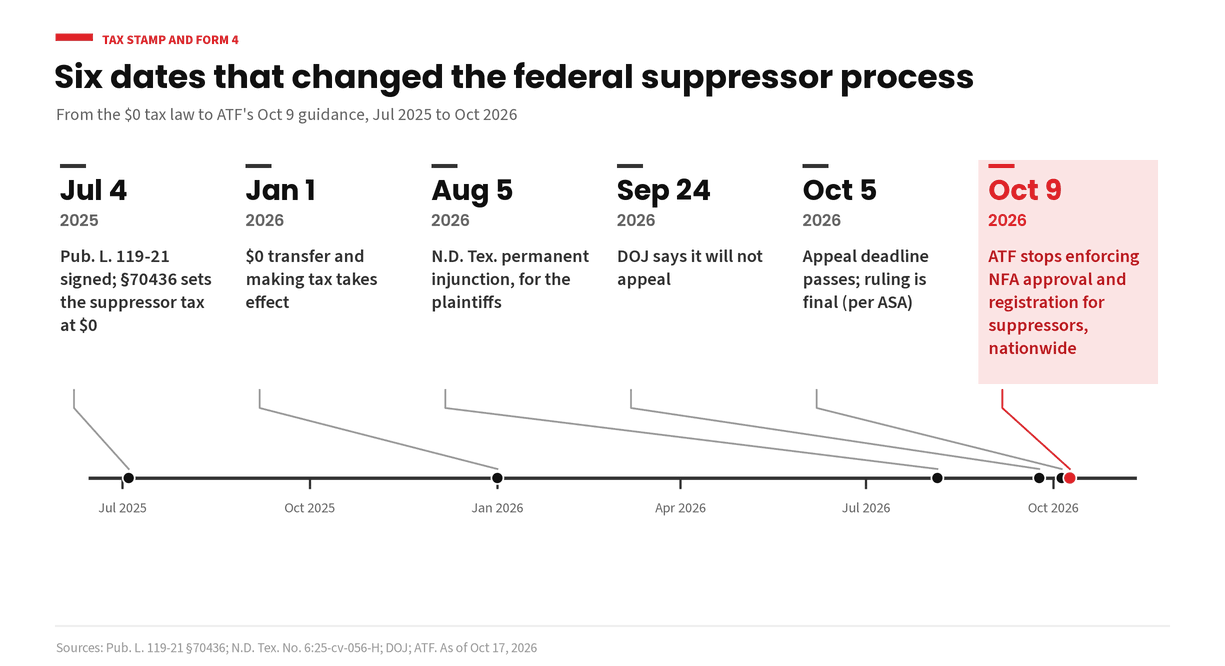
Do You Still Need a Form 4 or Tax Stamp for a Suppressor? What Changed in 2026
The federal suppressor tax is zero and ATF is no longer enforcing federal approval and registration for suppressors. Here is what changed, what your dealer still does, and when a Form 4 still matters. Per ATF guidance as of October 2026.
- suppressors
- nfa
- form 4
- tax stamp
October 17, 2026
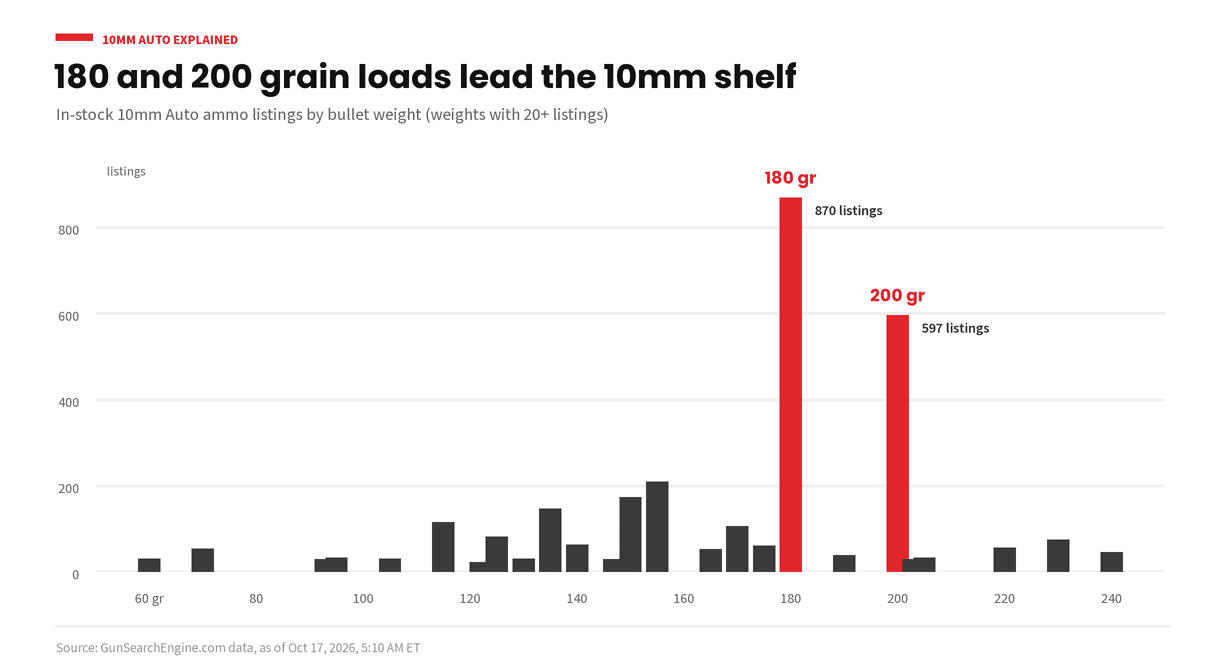
10mm Auto Explained: Full-Power, Subsonic and the Pistols That Shoot It
What the 10mm Auto cartridge is, how it relates to .40 S&W, the difference between full-power, lighter and subsonic loads, and what to look for in a 10mm pistol.
- ammo
- 10mm
- handguns
- calibers
October 17, 2026
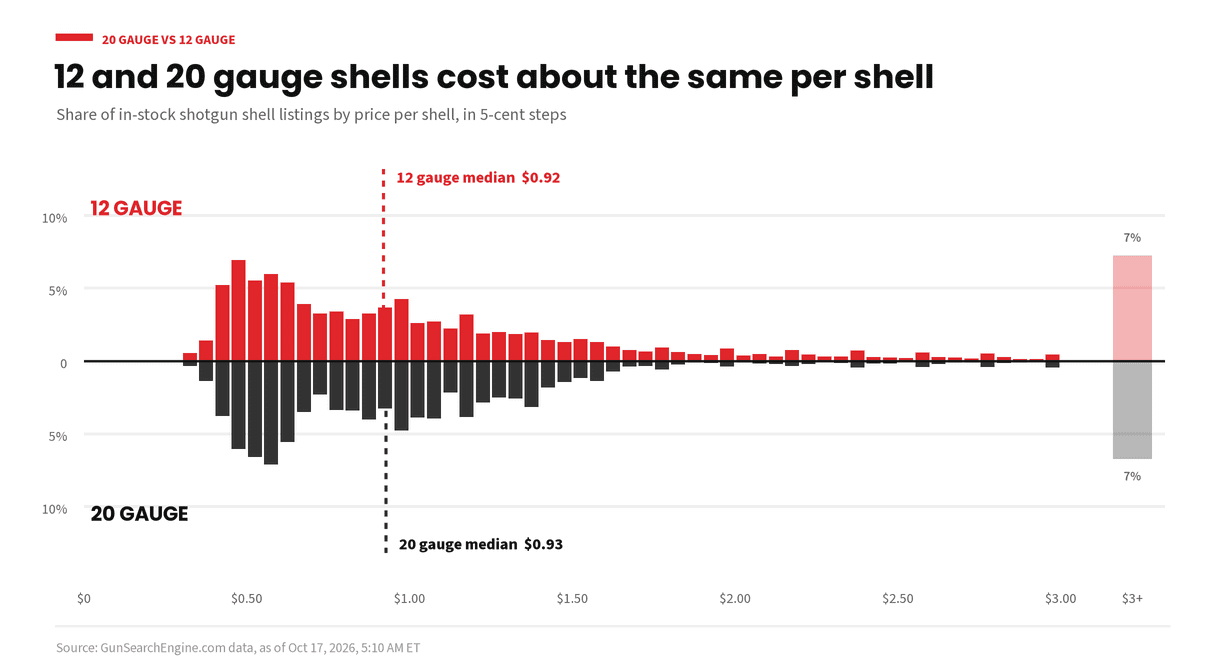
20 Gauge vs 12 Gauge: Which Shotgun Fits You?
How 20 gauge and 12 gauge shotguns differ in recoil, weight and shell choice, and how to pick the right one for clays, birds or home defense.
- shotguns
- 20 gauge
- 12 gauge
- comparisons
October 17, 2026
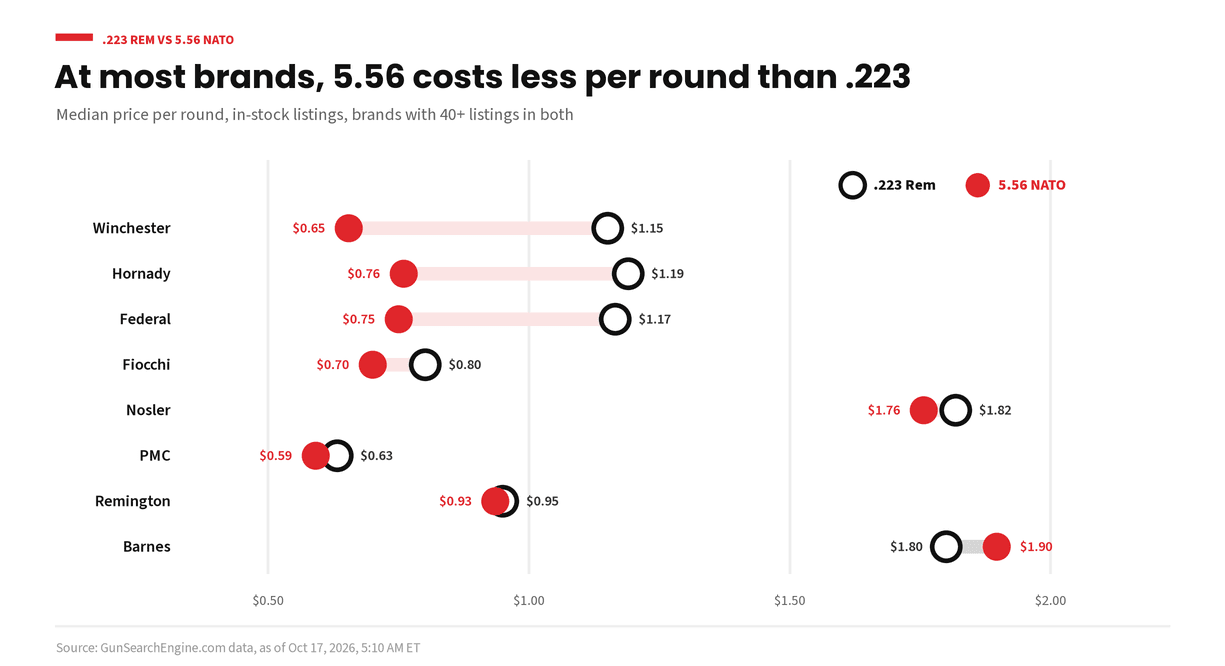
.223 Remington vs 5.56 NATO: What's the Difference?
The .223 Remington and 5.56 NATO look the same but are loaded and chambered differently. Here is which rifles can safely shoot which round.
- rifle ammo
- .223 Remington
- 5.56 NATO
- comparisons
October 17, 2026
.357 Magnum vs .38 Special: What's the Difference?
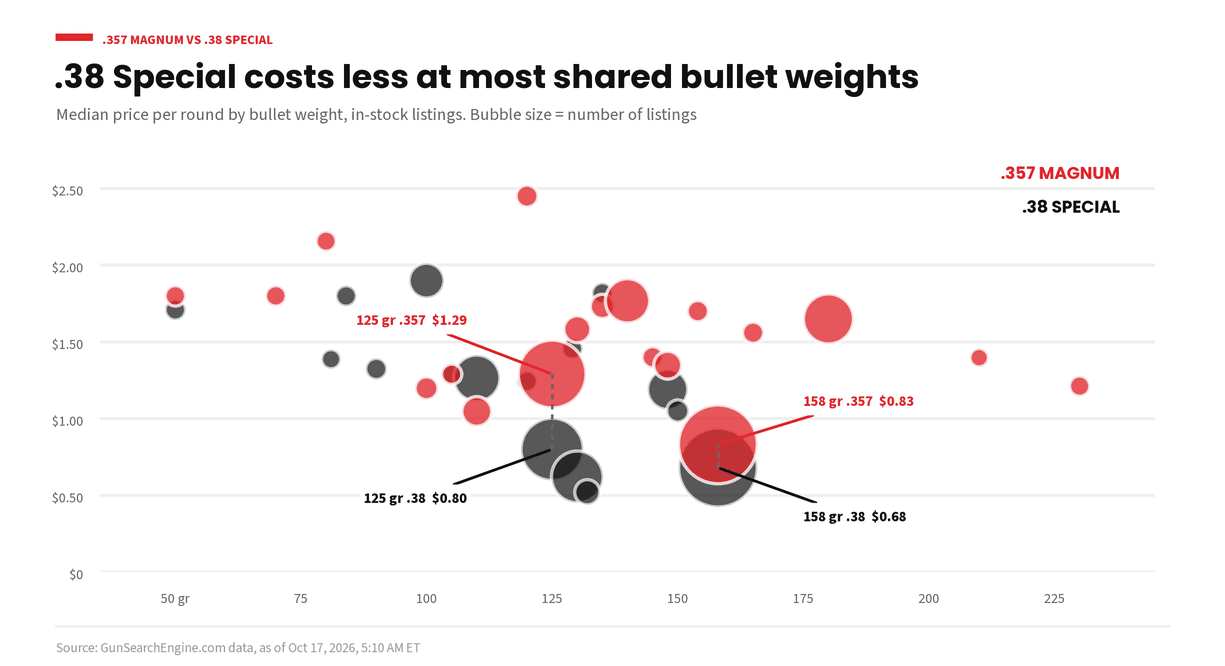
Why a .357 Magnum revolver can shoot .38 Special but not the other way around, how recoil compares, and how to pick loads for the range or for defense.
- handgun ammo
- .357 Magnum
- .38 Special
- revolvers
- comparisons
October 17, 2026
Ammo Cost Per Round: How to Compare Boxes Fairly
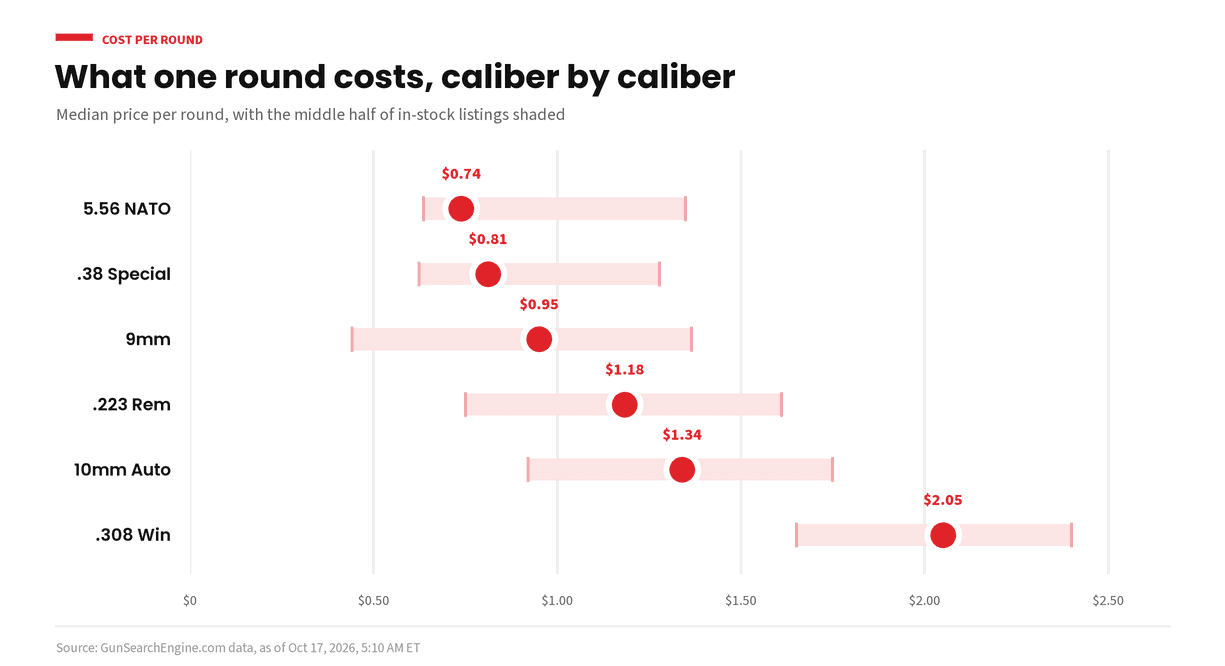
Why the box price can fool you, how to figure cost per round, and what else to compare before you pick an ammo listing.
- ammo
- price per round
- how to compare
October 17, 2026
Ammunition Manufacturers: Who Makes What
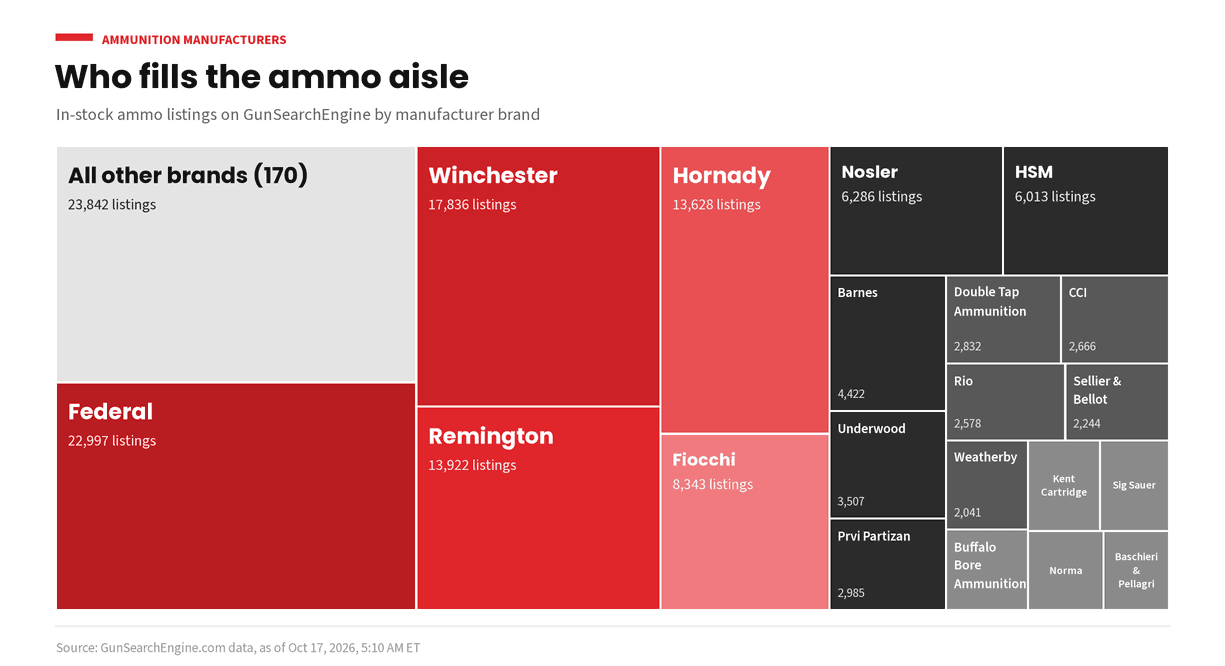
A plain list of well-known ammunition makers, where they are based and what they are known for, with a link to each brand's live listings.
- ammo
- brands
- manufacturers
October 17, 2026
Gun Manufacturers A to Z: Who Makes What
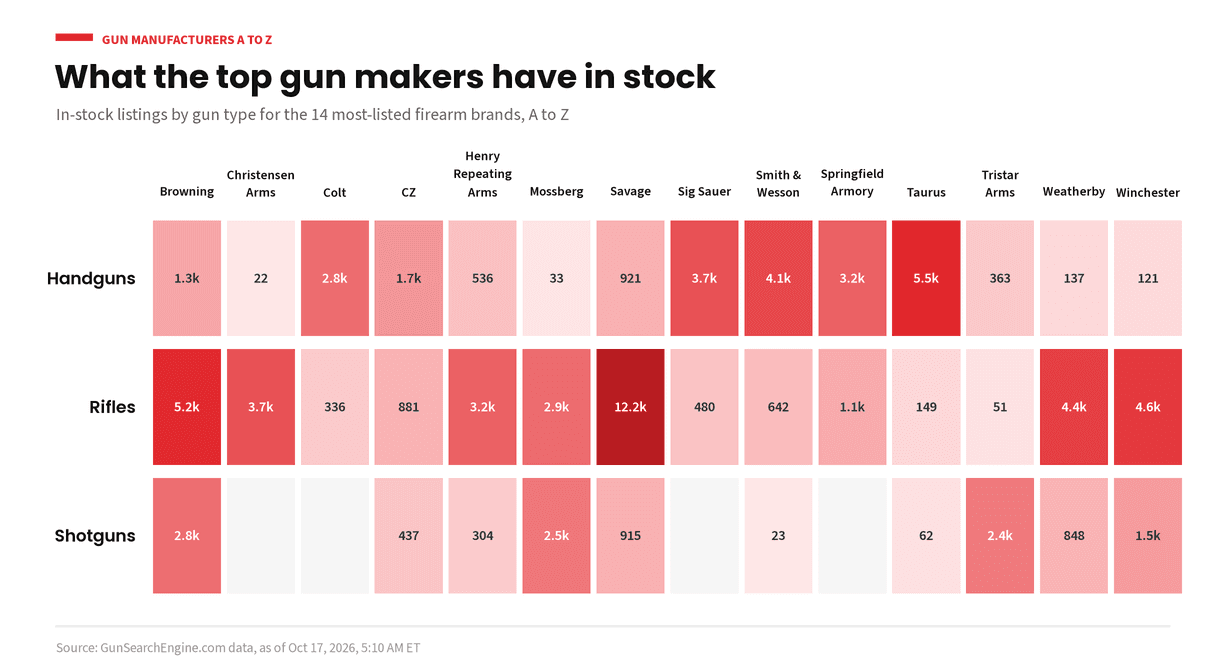
An A to Z list of well-known gun makers, where they are based and what they are known for, plus how to read a model name, with a link to each brand's live listings.
- guns
- brands
- manufacturers
October 17, 2026
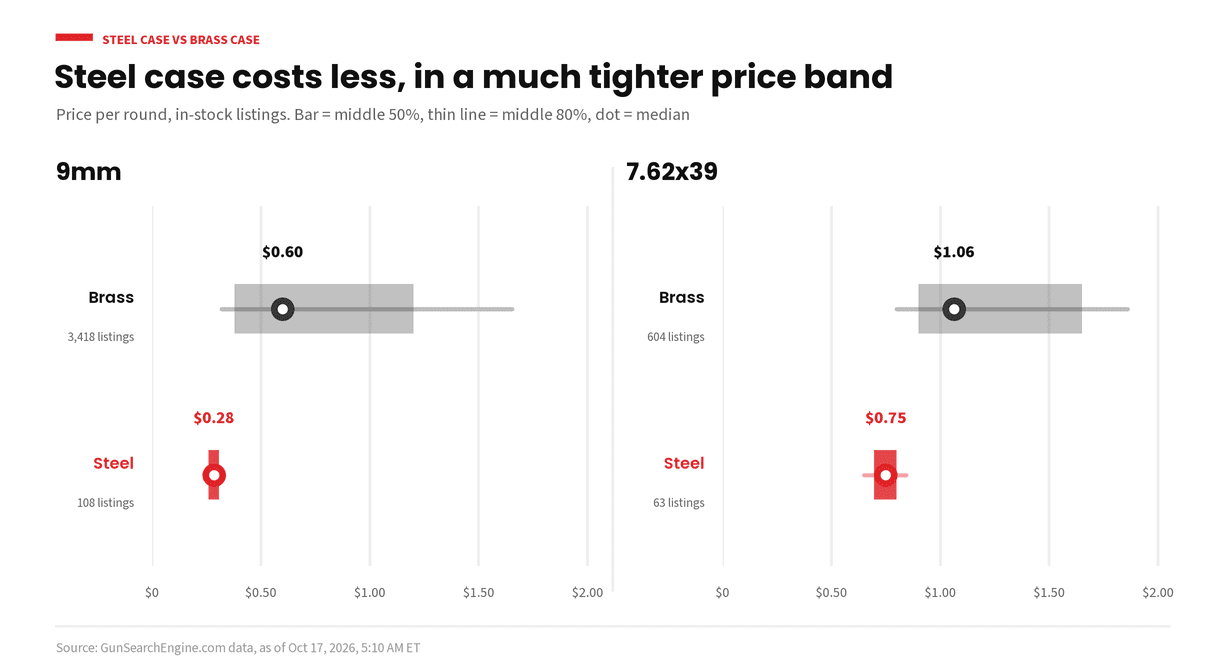
Steel-Case vs Brass-Case Ammo: What to Know
What steel-case ammo is, why it costs less, the common worries about extraction, range rules and reloading, and when brass is the better pick.
- ammo
- steel case
- brass case
- comparisons
October 15, 2026
Mobile shoppers, AI crawlers, and why Gun Search Engine leans in
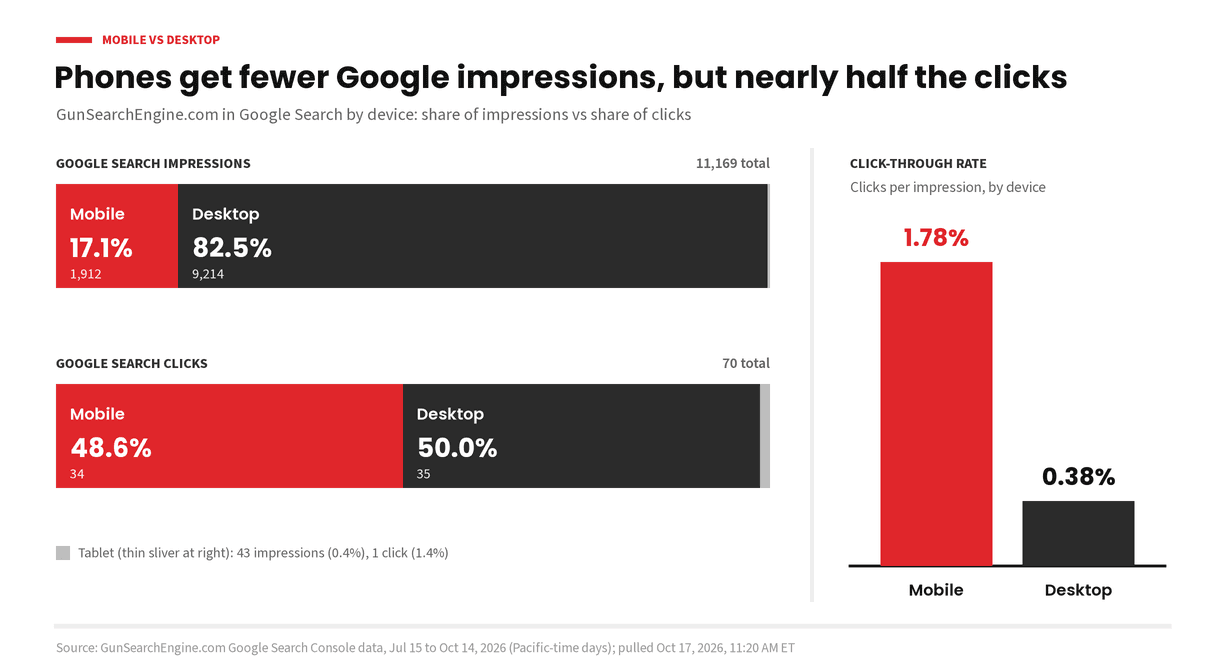
People shop on phones. AI assistants crawl and summarize the aisle. Gun Search Engine is built for both: a mobile-first card UI and AI discovery that is welcome, not blocked.
- mobile
- AI discovery
- shopping hubs